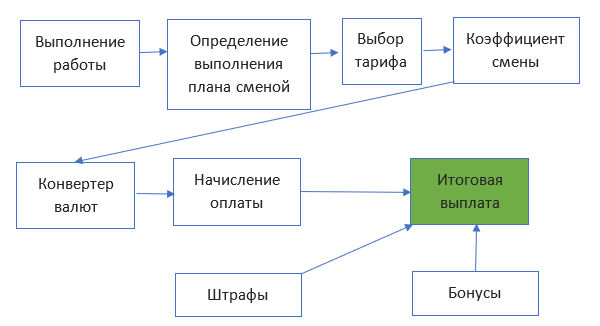
Block "Salary"
Product goals
- Calculation of production wages in automatic mode
- Accounting of transactions with details
- Automatic change of order status after completion of all operations on the order and when the order is returned to production (rework, errors)
Opportunities
- Distribution of workers by teams, indicating the percentage of each for the performance of the service
- Setting the tariff for bad, normal and over-execution of the plan
- Establishing the execution of the operation on the part, order, task for production
- Setting a plan by service type for each shift
- Setting the tariff for each service depending on the execution of the plan
- Setting the increasing or decreasing coefficient for each shift (for night shifts, holidays, shifts with a large volume of the same type of light work)
- Ability to manually set the plan execution type for change. The system stores the ratio of actual execution and the ratio set for the calculation
- Setting default plans for each type of service
- Establishing fines or additional premiums tied to specific performers and works
- Automation of control of packaging of parts in the warehouse
Description
1. Labels
All parts in the iFurn.pro system are marked with labels with a QR code. Scanning parts allows you to perform various operations.
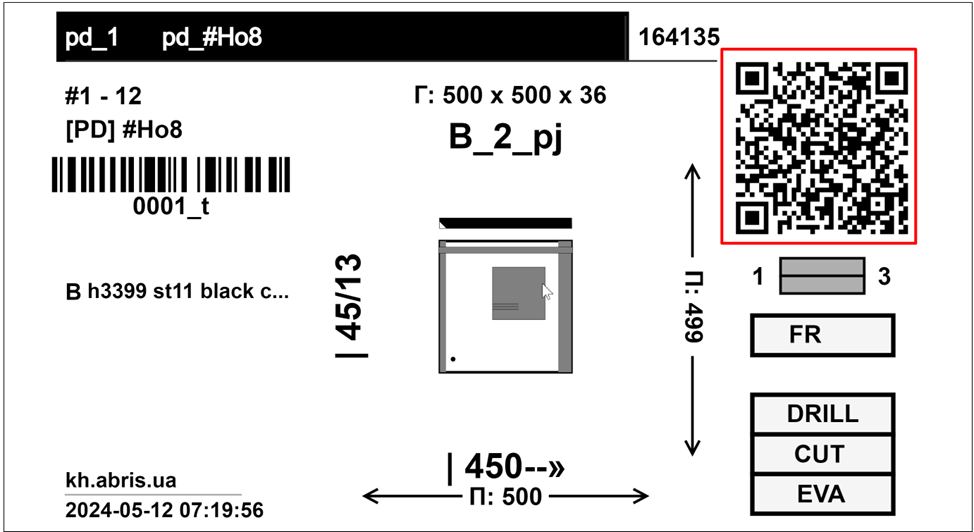
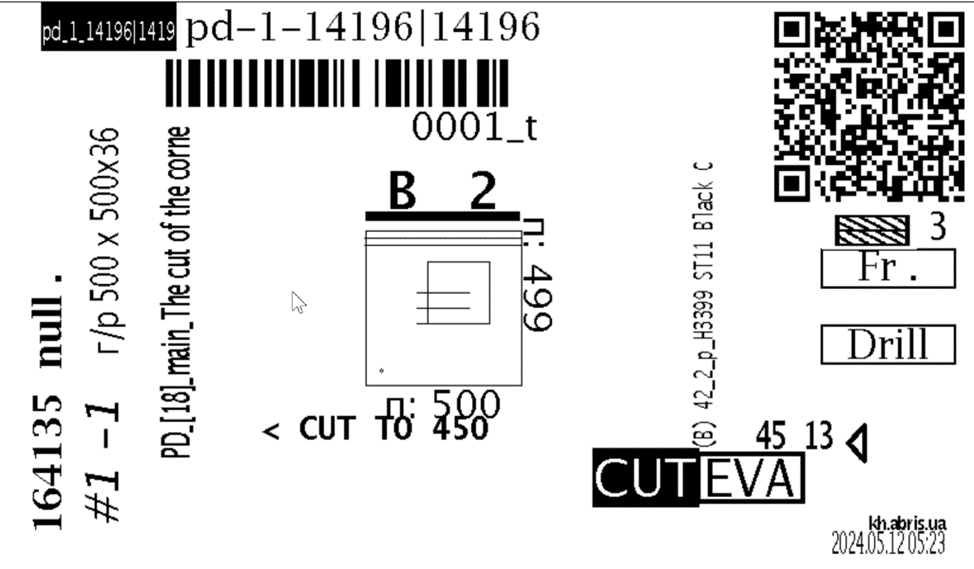
iFurn.pro labels can be used at any dust station. The PrintLabel label format remains available.
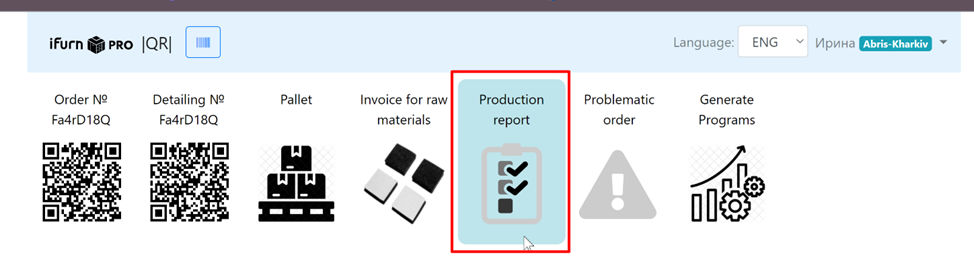
2. Connecting the block
The "Salary" block is additionally connected to the admin panel:

After activation, when the execution mark is set, the user is redirected to CRM, where operations with details are performed.
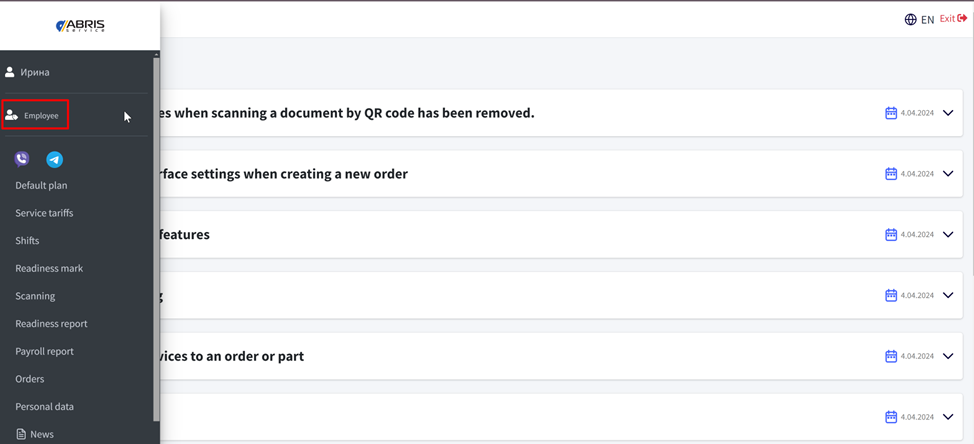
3. Entering reference data
Before starting work, the production manager fills out the handbooks:
- Default plan
- Tariffs for payment of services
Default plan
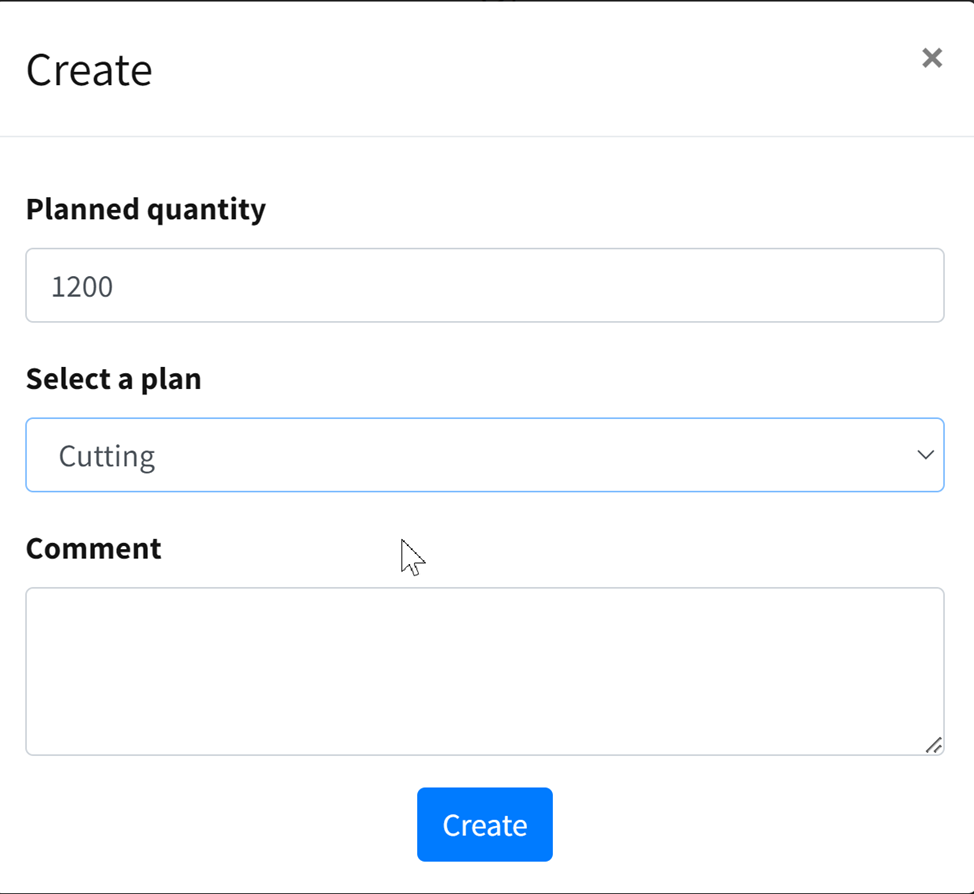
Plans are set by service type. For example, there is a service for cutting chipboard and HDF, which combines the service type "Cutting".
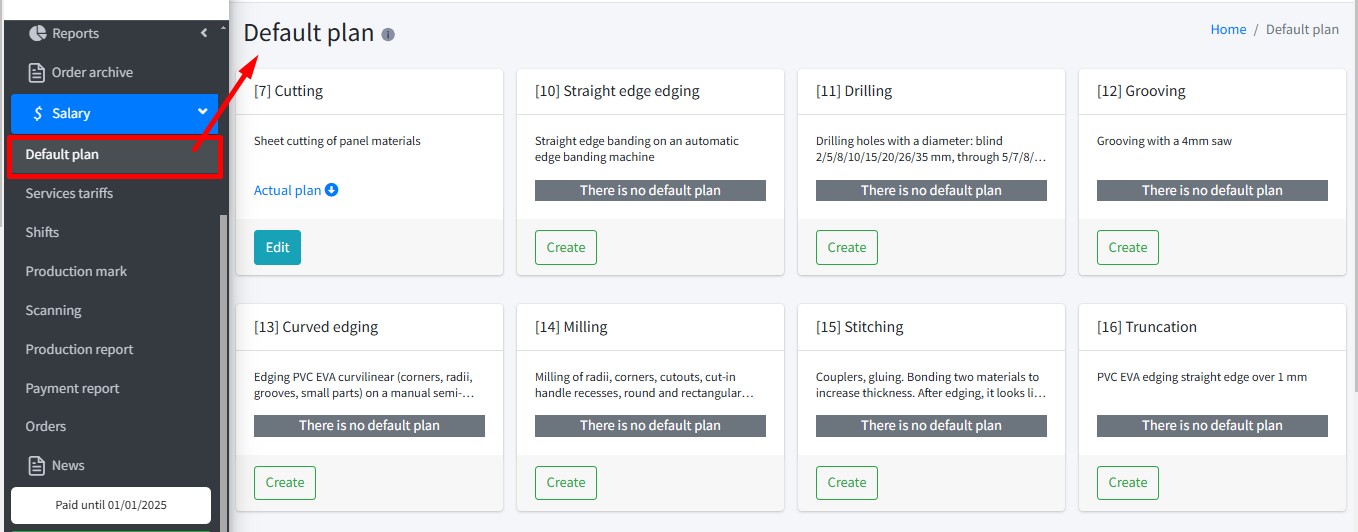
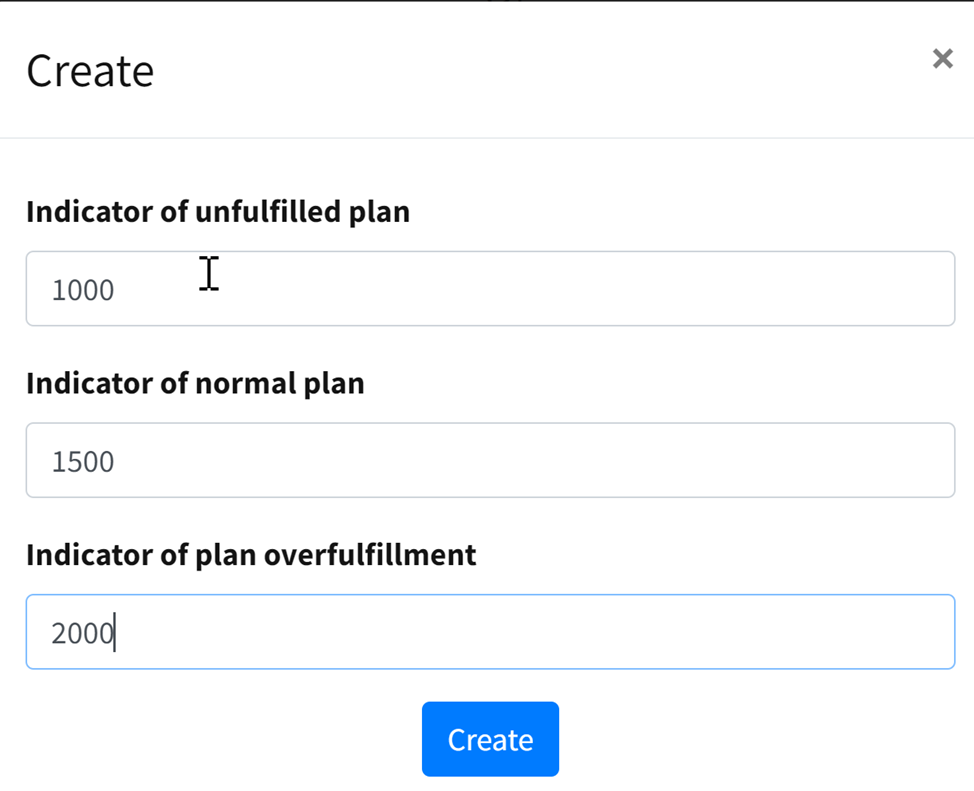
The lower limit (failure to fulfill the plan), the normal value (execution) and the overexecution value are set.
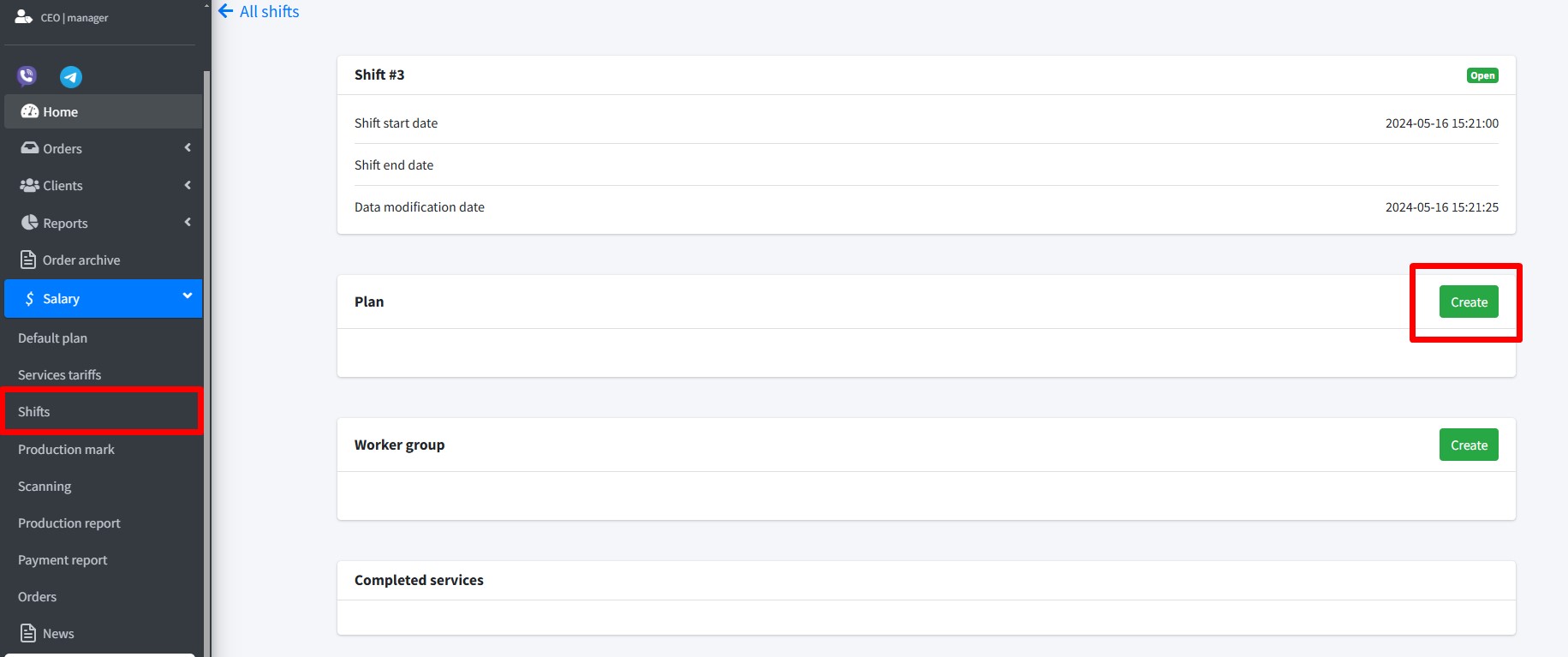
A plan can be set separately for each shift. Otherwise, the default plan is used.
Execution of the plan affects the payment rate for the work performed.
Tariffs
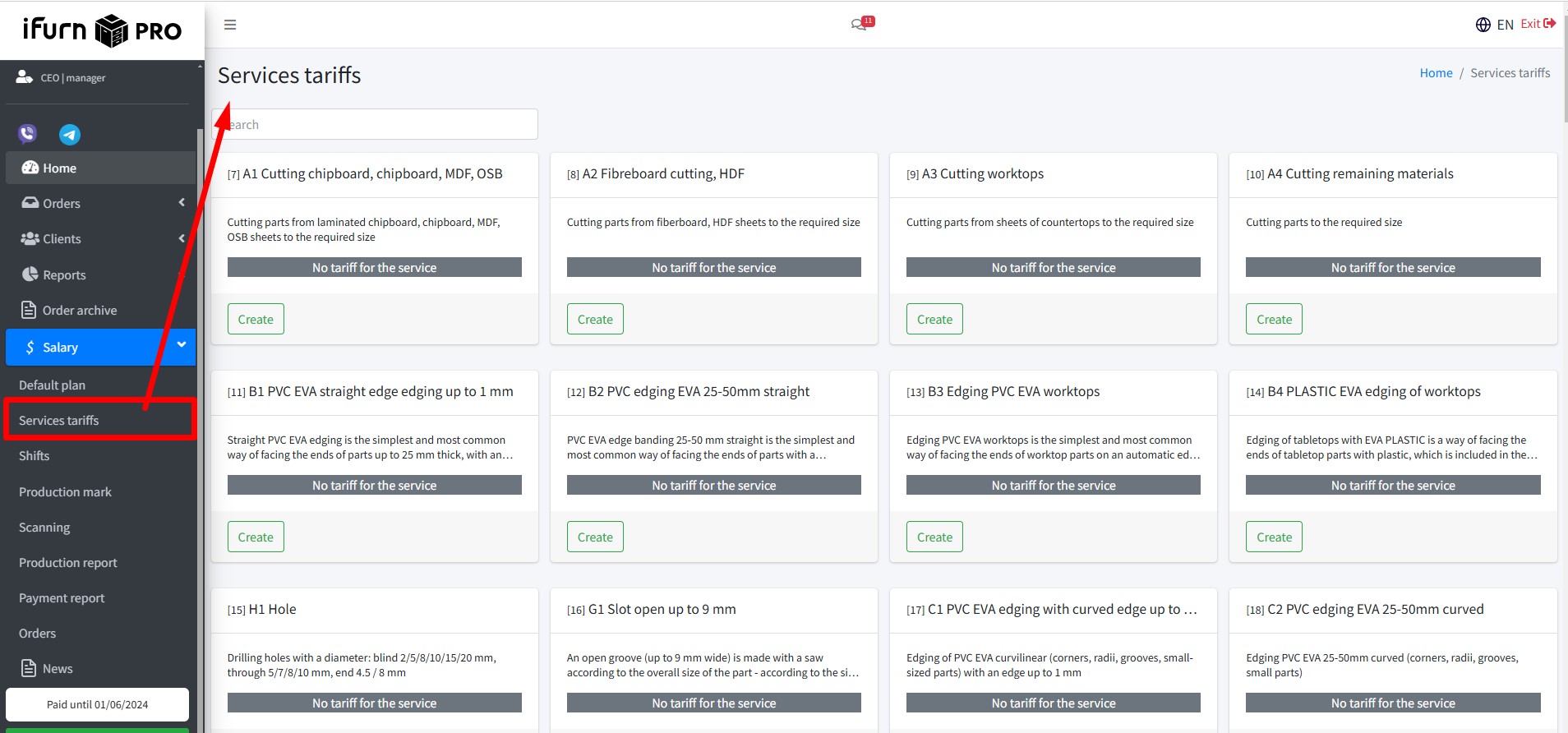
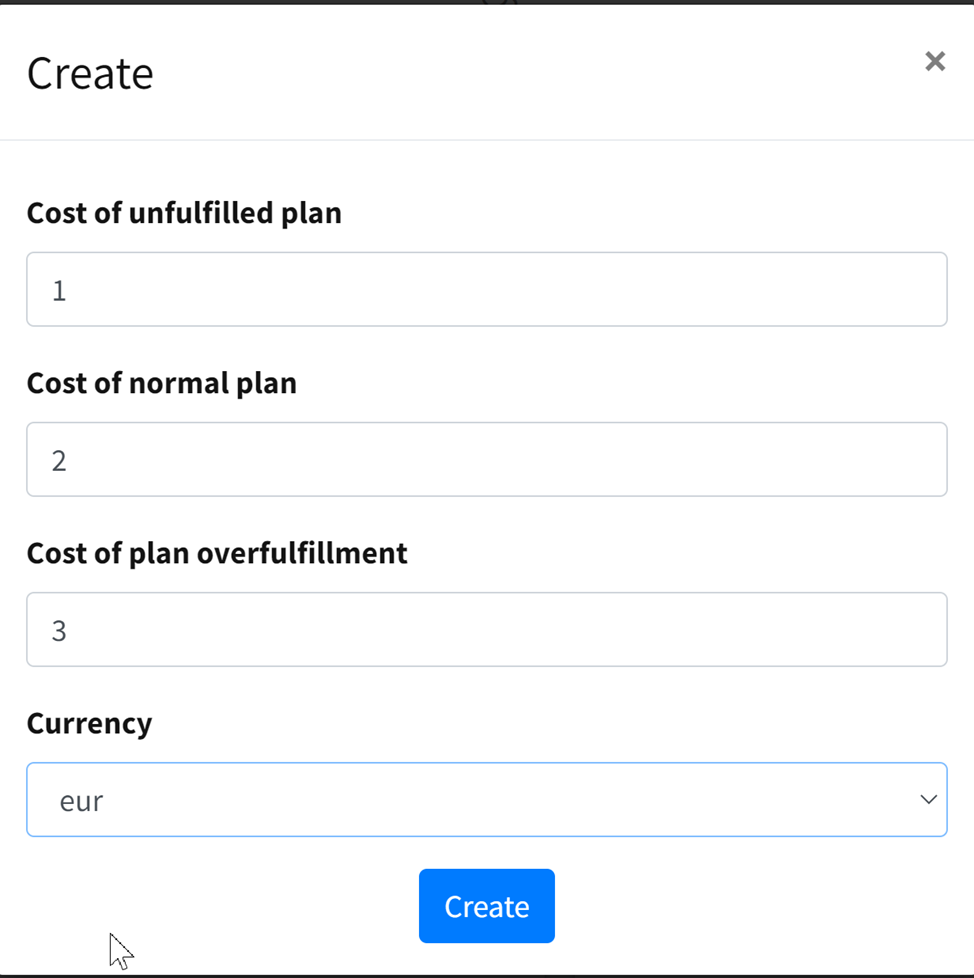
- The tariff is set for each service performed by the production.
- The tariff can be issued in different currencies.
- The tariff is set for all types of execution of the plan.
Without filling in these directories, it is impossible to work with the block, the system will block all operations.
4. Changes
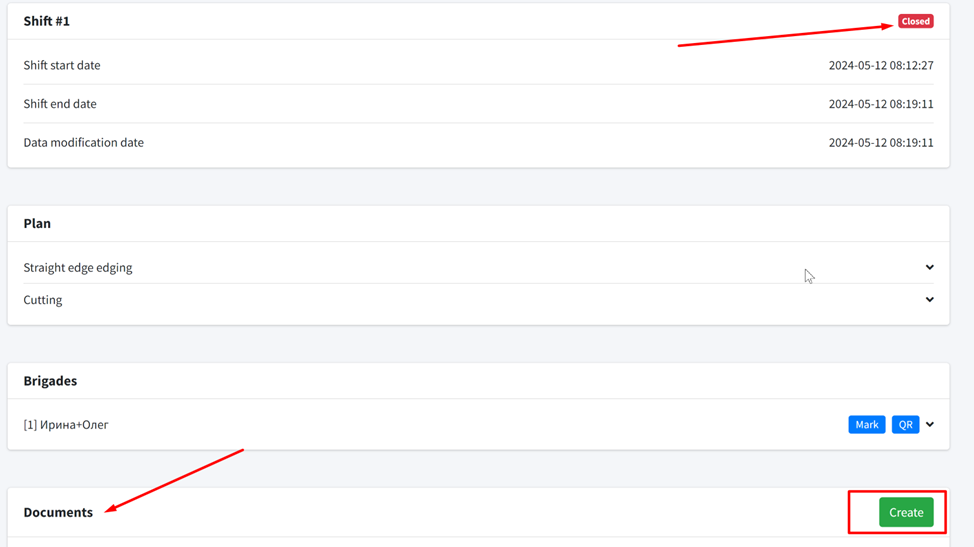
Open and closed changes are managed in this section.
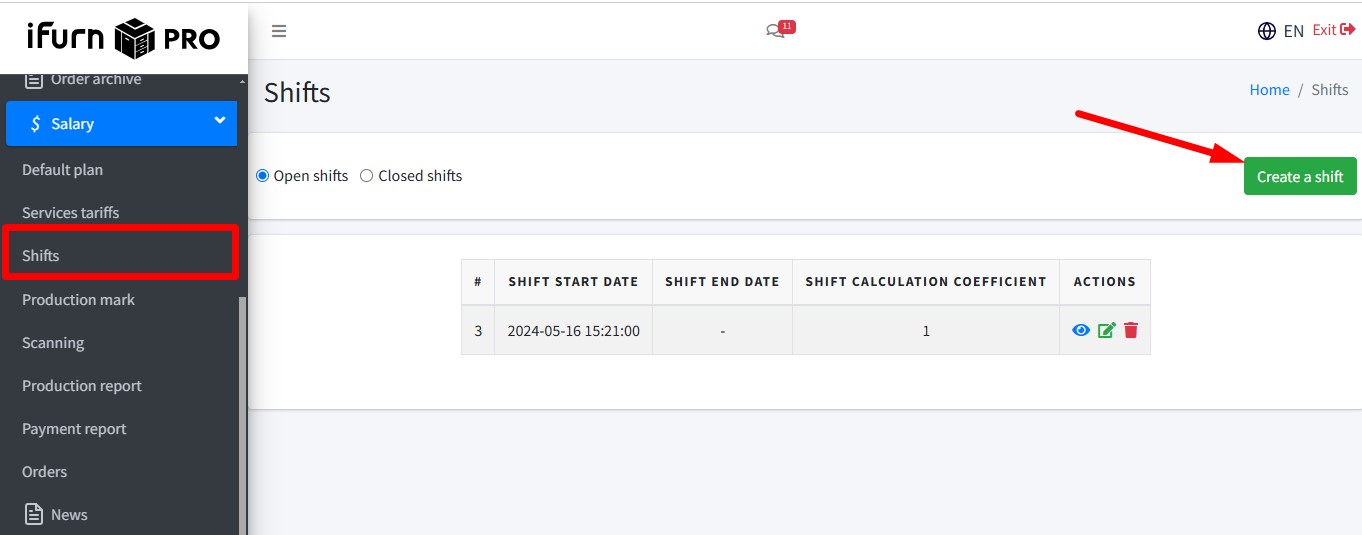
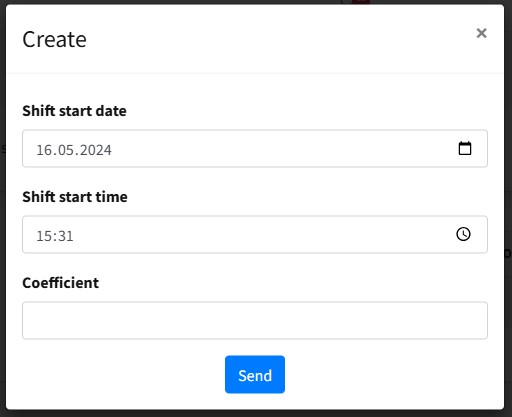
When creating a shift, the time, start date and ratio (for night, holiday shifts or simple tasks) are specified.
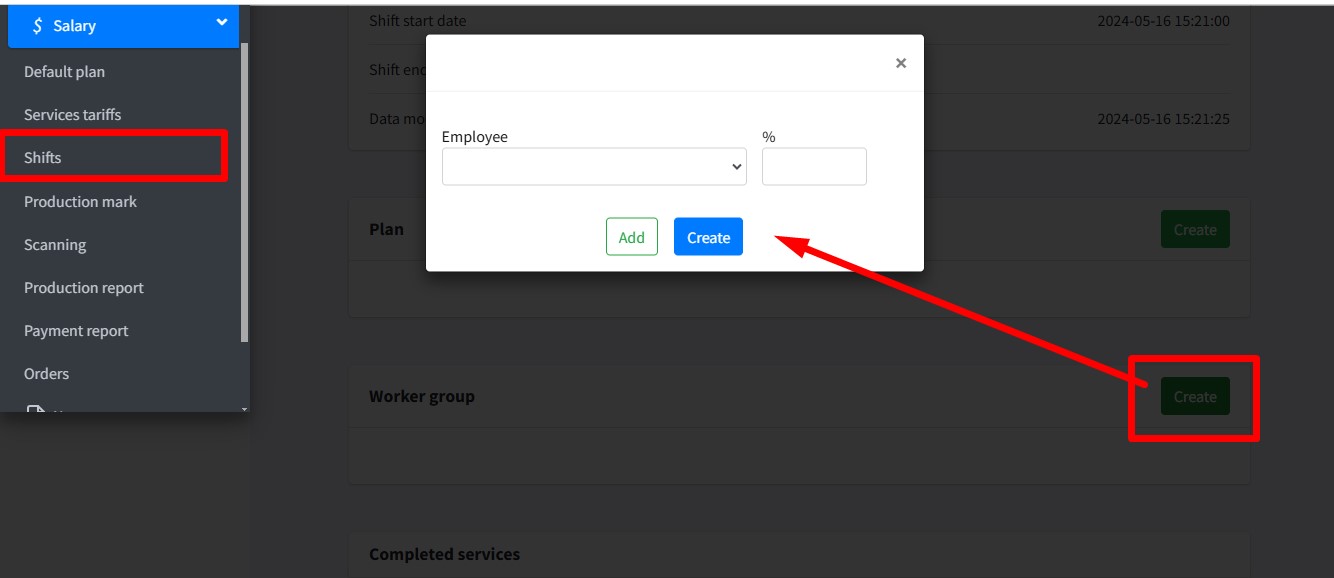
In the shift, teams are created, where the tariff is distributed (sum of percentages = 100%).
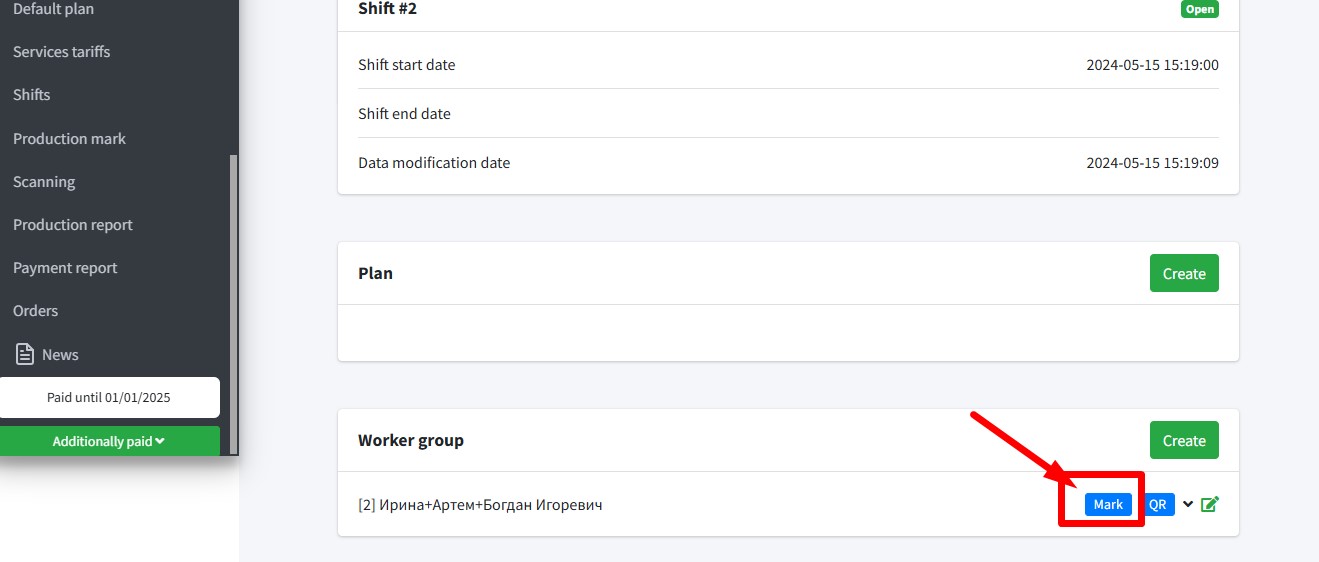
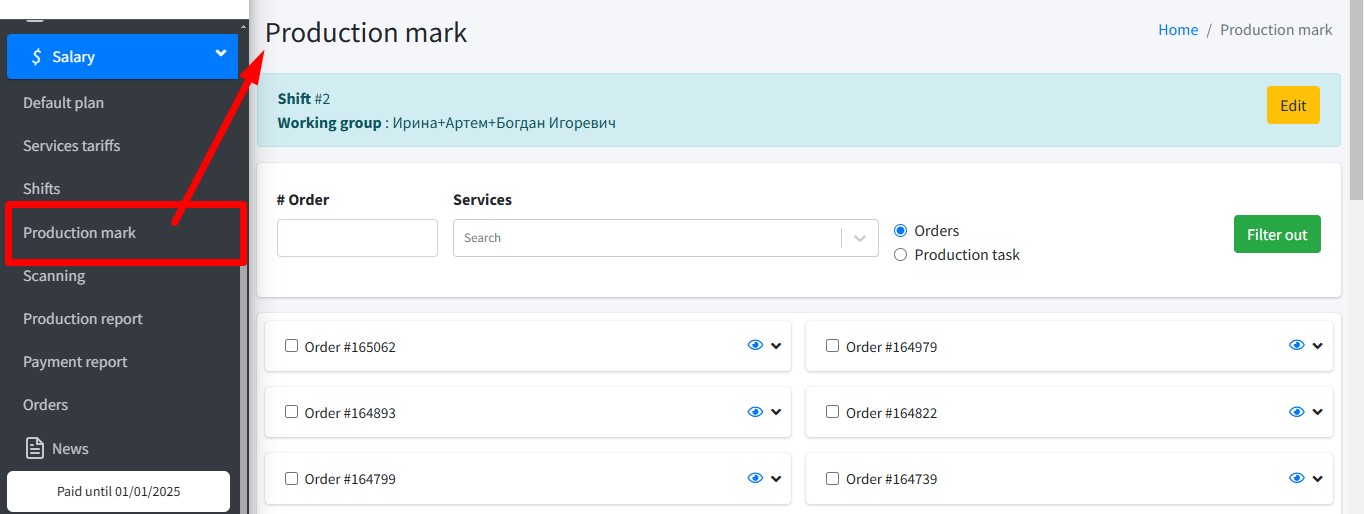
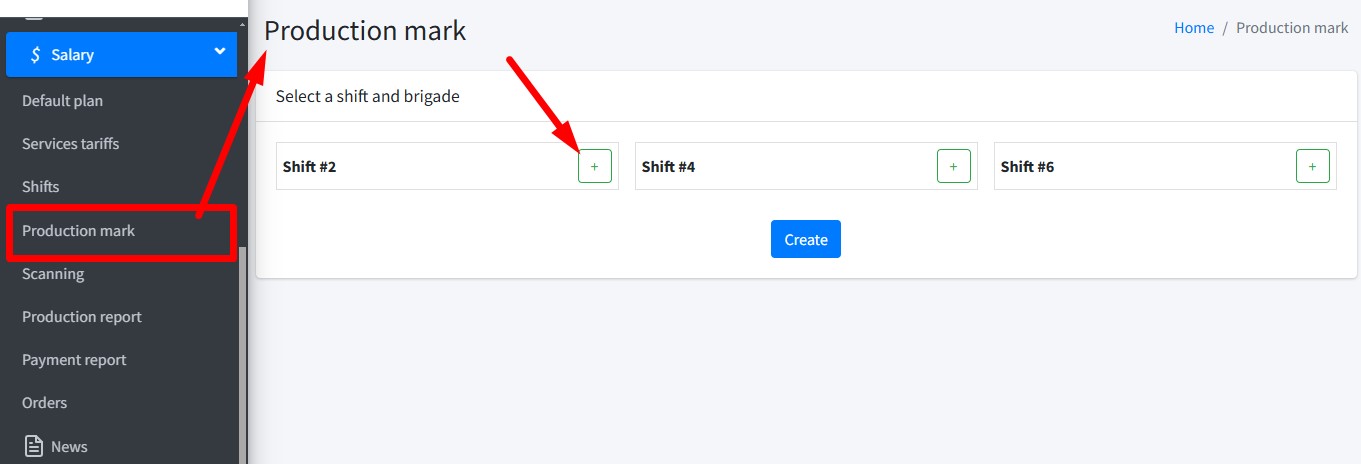
Readiness marks available directly from the change page:
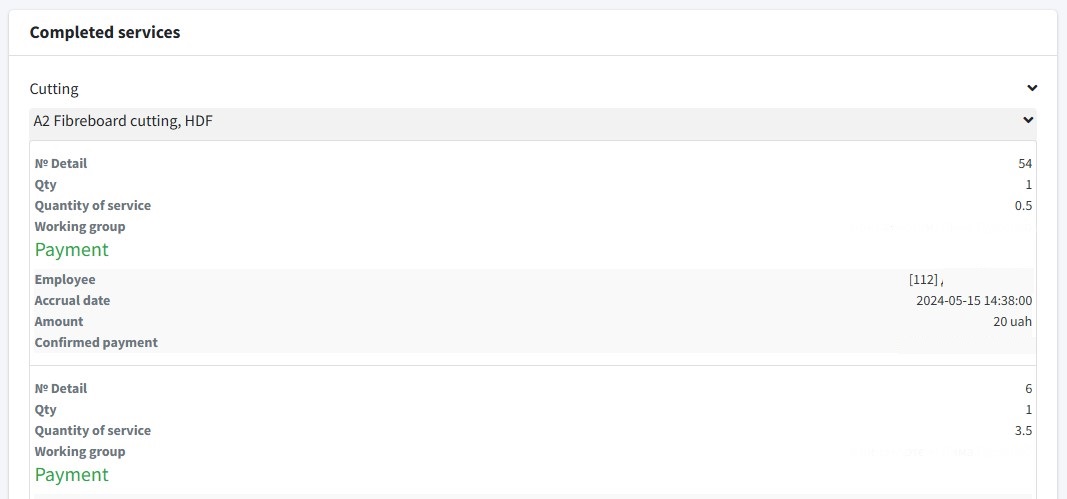
Report on completed work and payment:
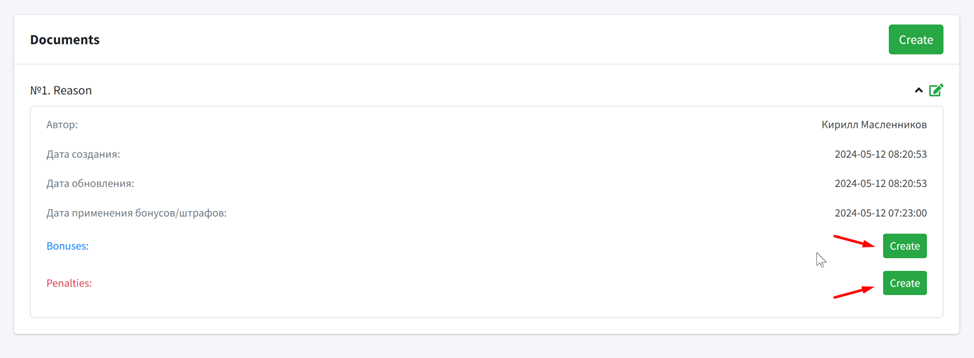
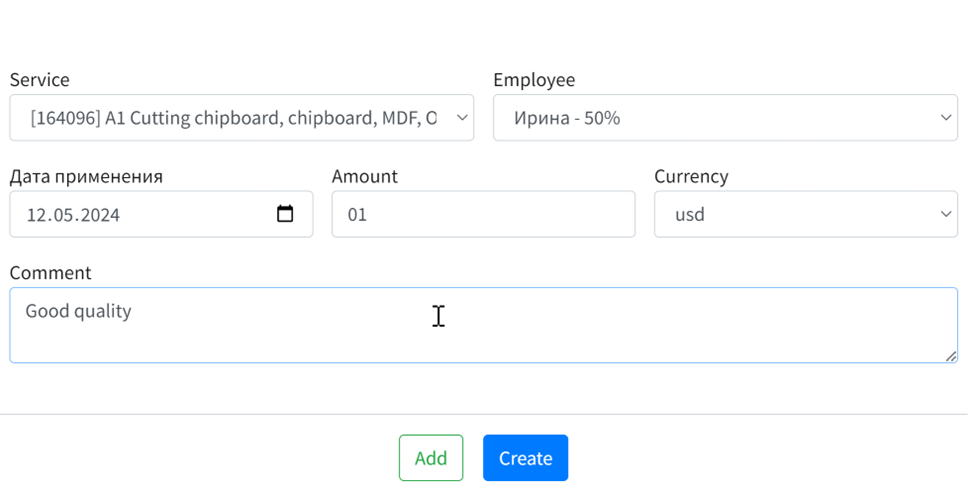
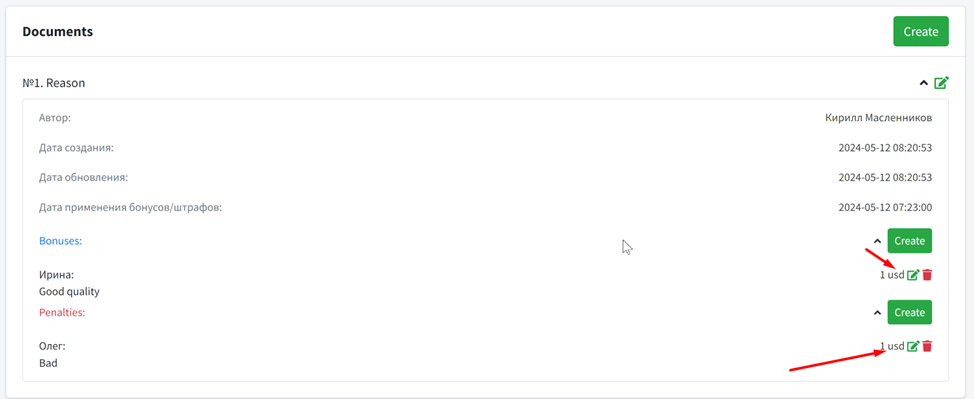
After closing the shift, fines or bonuses are added with a mandatory indication of the reason.
5. Readiness mark
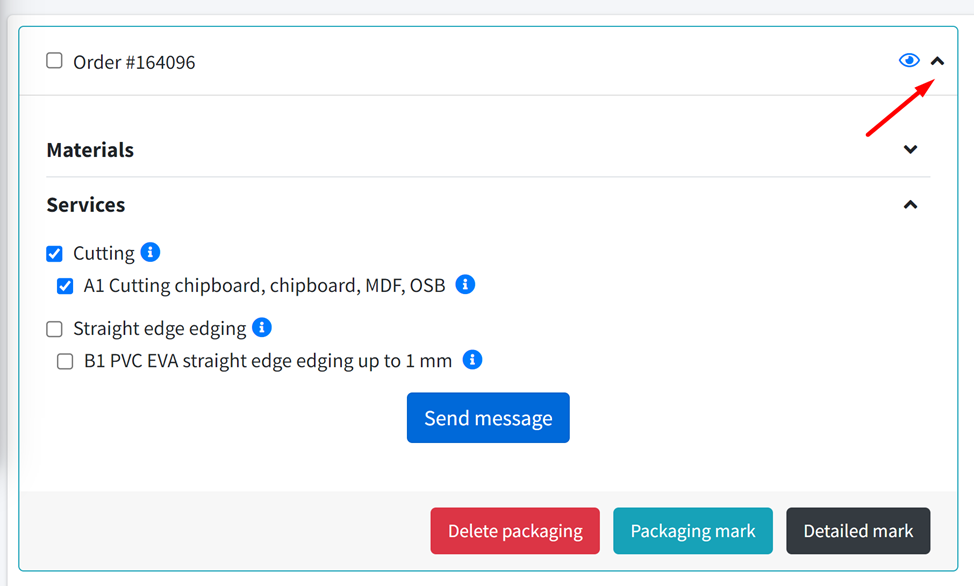
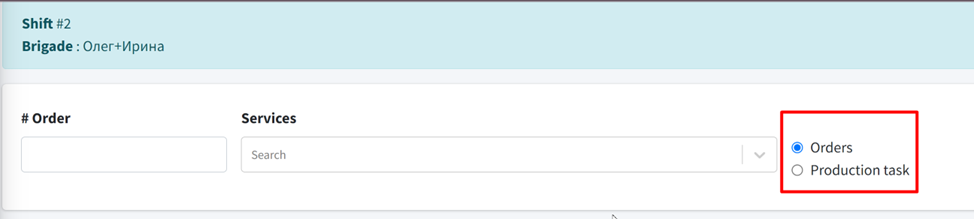
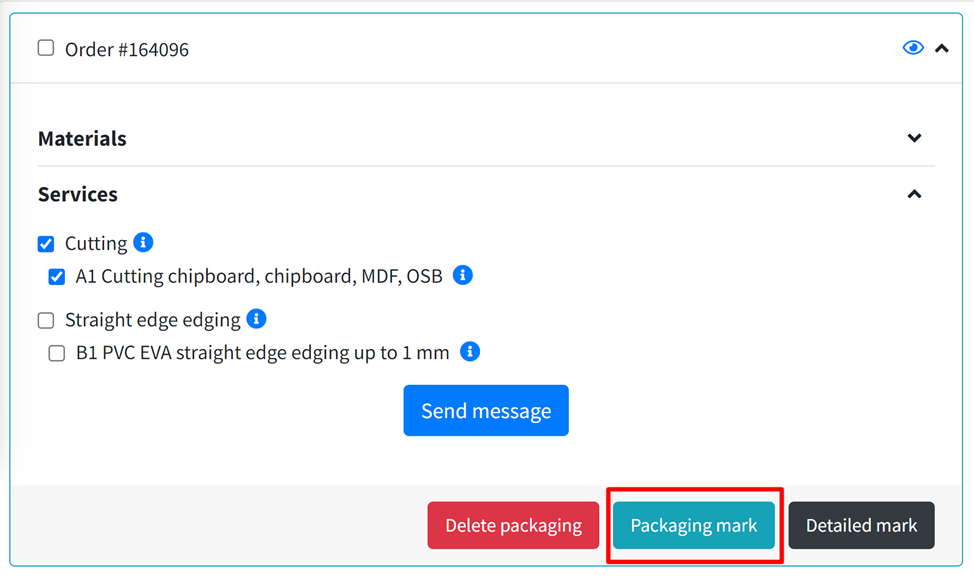
Marks are placed on parts or orders. The system automatically changes the status of the order to "Working" or "Completed".
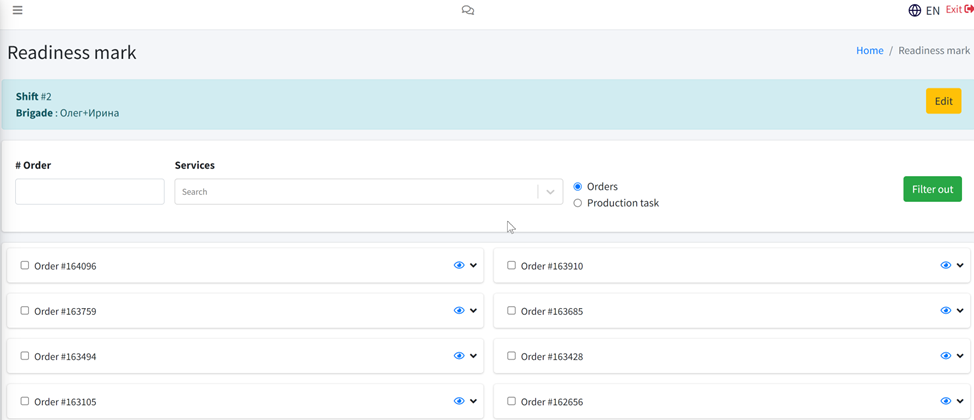
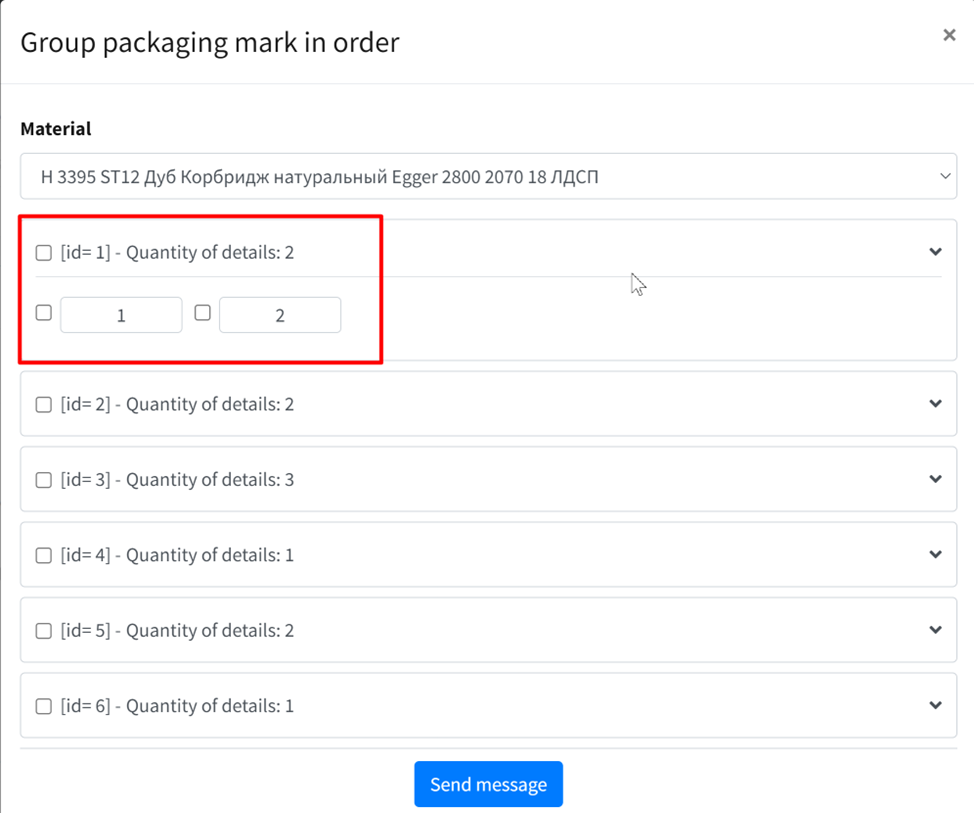
For packaging, each item is scanned separately, the uniqueness is checked (can be turned off).

6. Scanning
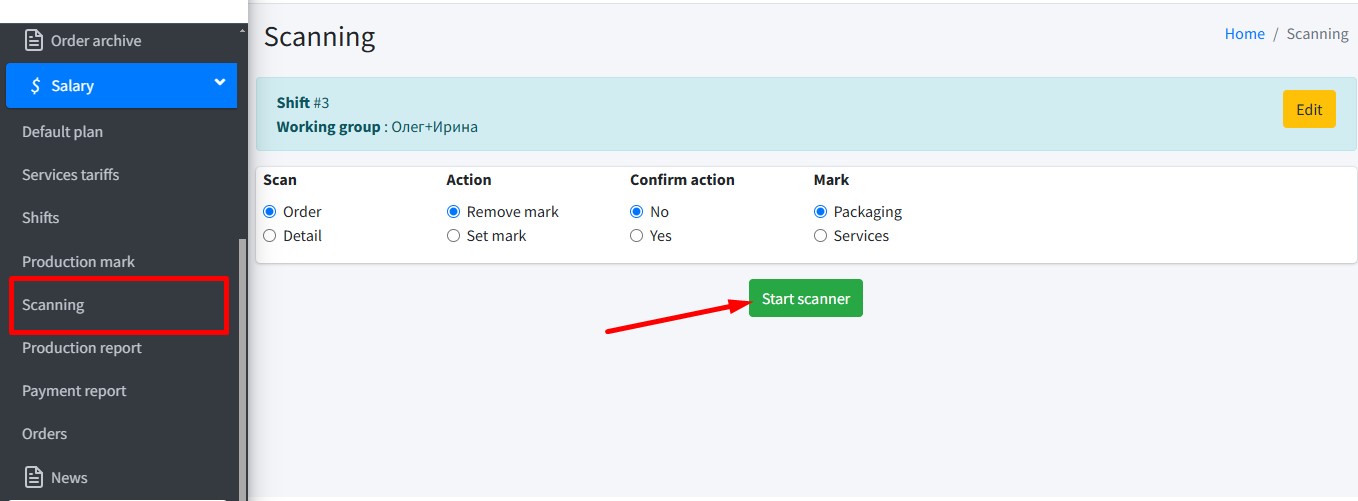
Scanning parts allows you to set or remove readiness and packaging marks.
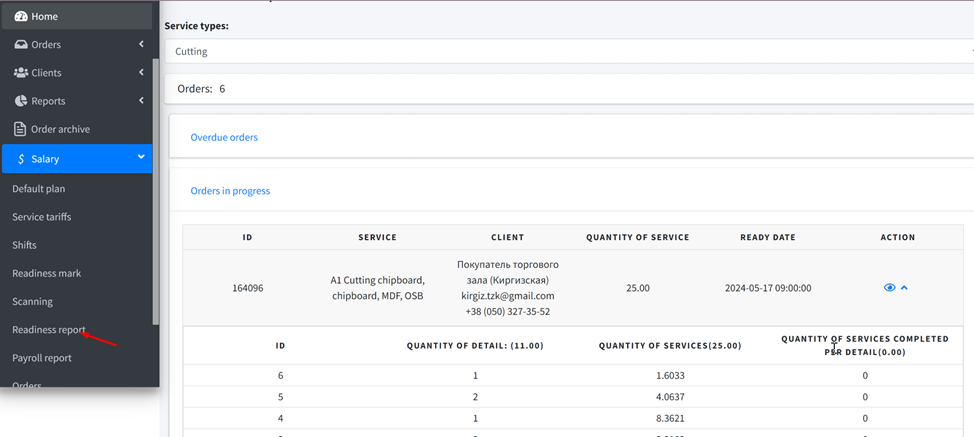
7. Readiness report
The report shows work orders, overdue orders, and outstanding services by detail.
8. Salary report
The report displays employee wages in any currency, including fines, bonuses, and team breakdowns.
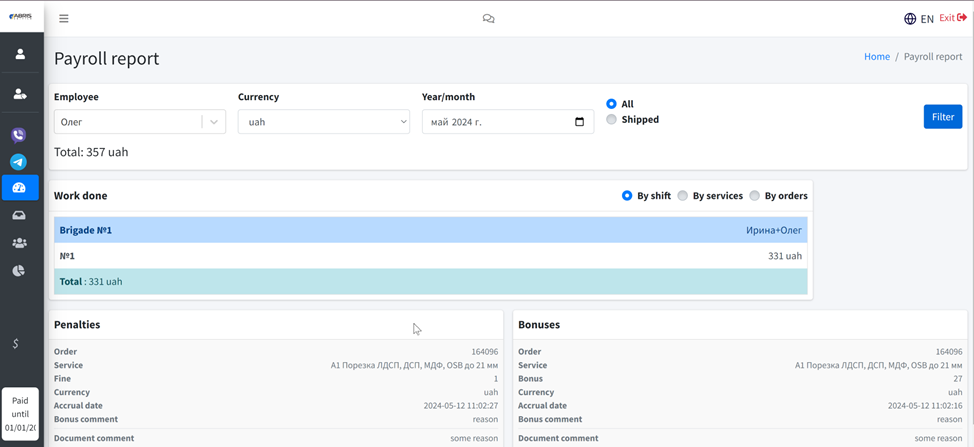
You can filter payment by shipped orders.

9. Order
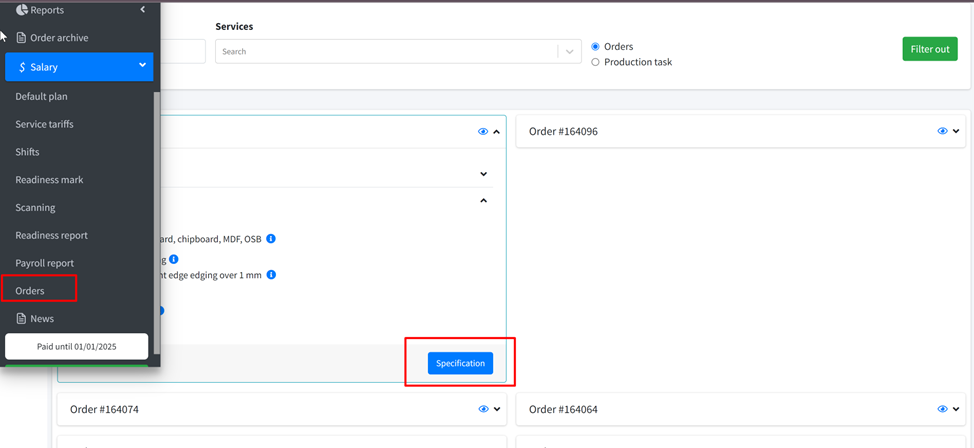
Orders are searched by number, code, 1C code or name. Readiness and specification data available.
API
The functionality of the block is available through an external API for integration with 1C or other ERP systems.