

This button opens a set of tools that allow you to perform additional actions on parts , add files to the order, apply bulk processing, and clear notes accompanying imported projects.
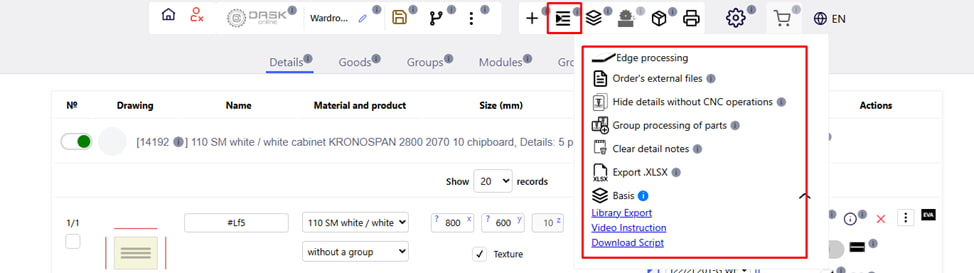
Main features:
1. End processing :
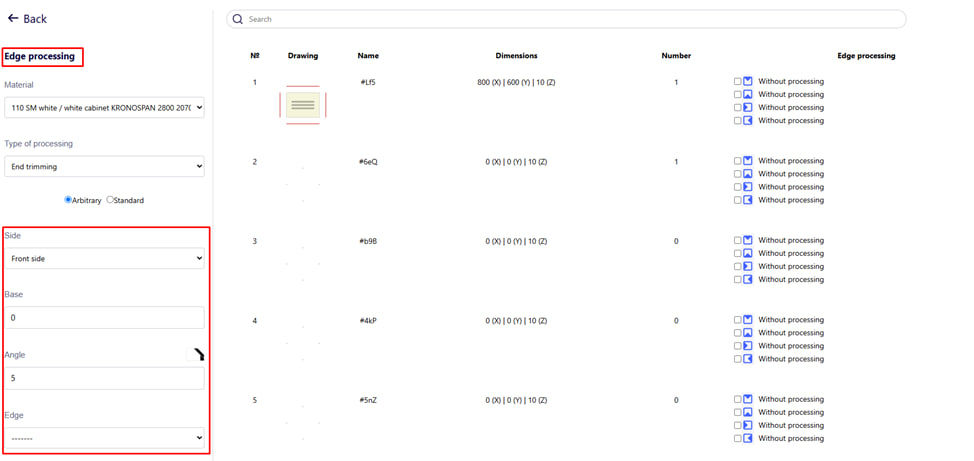
- Selection of the type of processing (4 types of processing are possible, which are specified by the company):
- End cut (for example, 45° or 22°);
- Chamfer removal;
- Indication of the parties where the processing is applied;
- Display of processing on the drawing.
2. Operations on the plane. 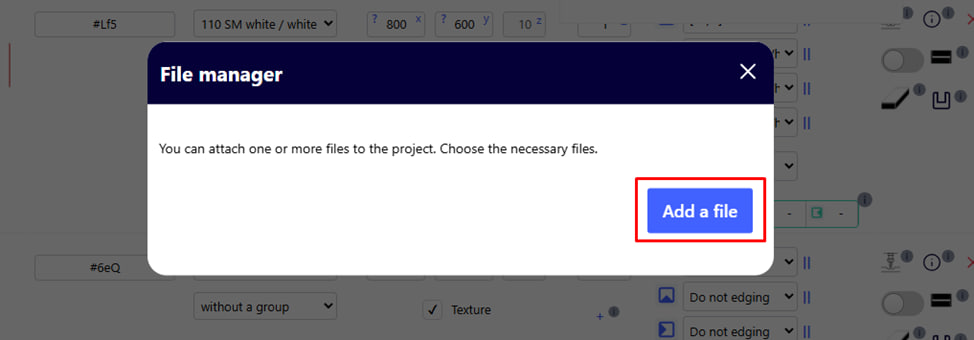
3. Files to order:
- Ability to add accompanying documents to the order:
- Instructions;
- Technical drawings;
- Additional files that need to be transferred to production.
To add files, click the blue button.
4. Group processing of details:
- Ability to change drilling parameters.
5. Hide details without operations of the CPC.
6. Delete notes:
- Deleting informational notes that were imported together with the project;
- Important : Unnecessary notes must be removed before placing the order in production, as all notes end up on the label .
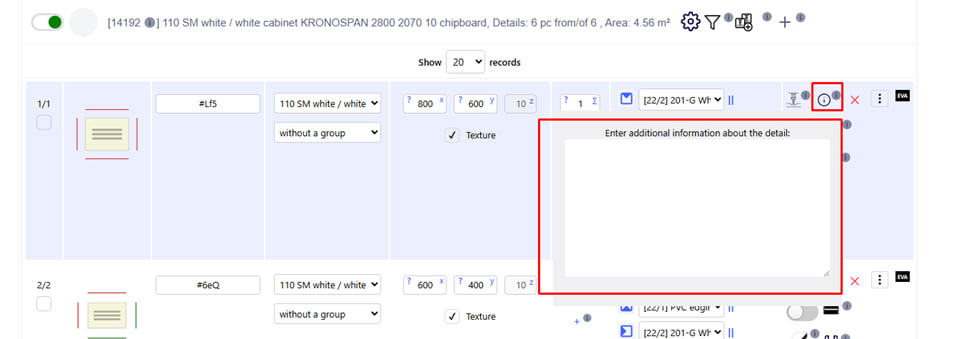
You can view notes or add notes by clicking the corresponding button . Here you can specify additional data on the processing of the part, which cannot be specified in the standard way. When printing labels, this detail will be highlighted with a sign "! QR !". Any operator in the workshop will be able to read the necessary data.
7. Export the project in .XLSX format. 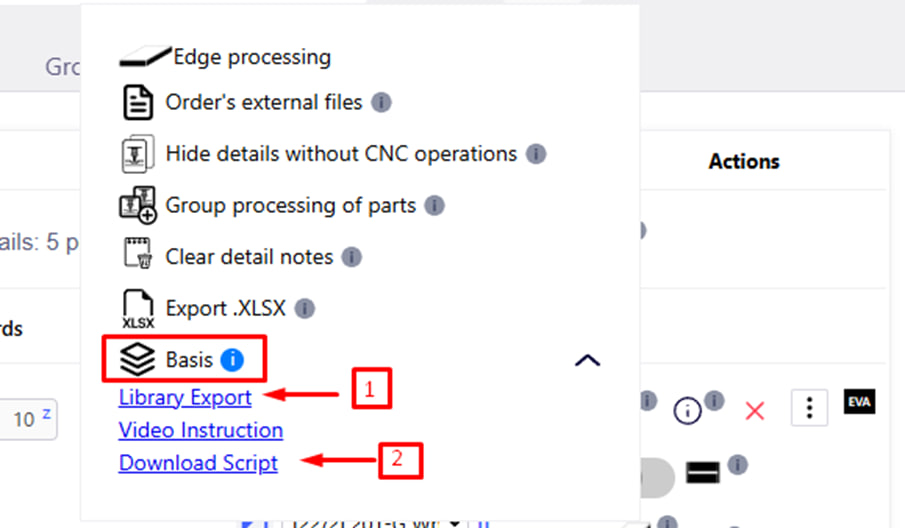
8. Import from Basis through Project:
To start working with iFurn.Pro materials in the " Basis Meblyar " program, you need to download the materials library .
- It is necessary to download the library of this particular company and install it in Basis.
- Download the script ( executed 1 time ), and install it in Basis .
- Create a Project file in Basic .
- Download to the IFurnPro platform using the + button, the Project Import item.