
Authorization (Login)
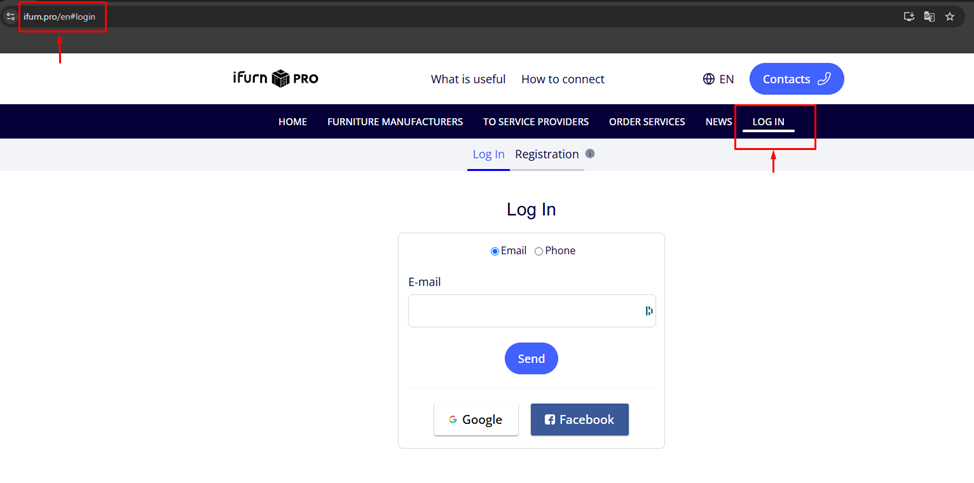
Go to the iFurnPro website .
- Open your browser and enter the iFurnPro website address.
- In the main menu, find and click on Login .
- Select the method of authorization: 1) E-mail; 2) Phone number .
Method 1 .
Enter your e-mail address provided during registration on the iFurn.pro portal
- Click the Send button.
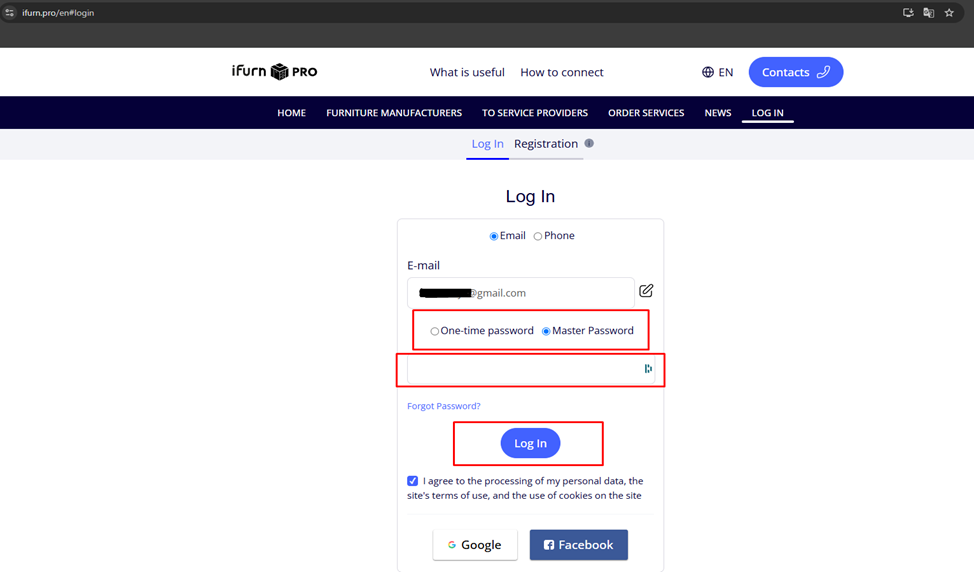
- Now select your account login method via:
- The one-time password (short period of use) that will be sent to the email is a 4-digit code .
- Or through the master password that you received during account registration .
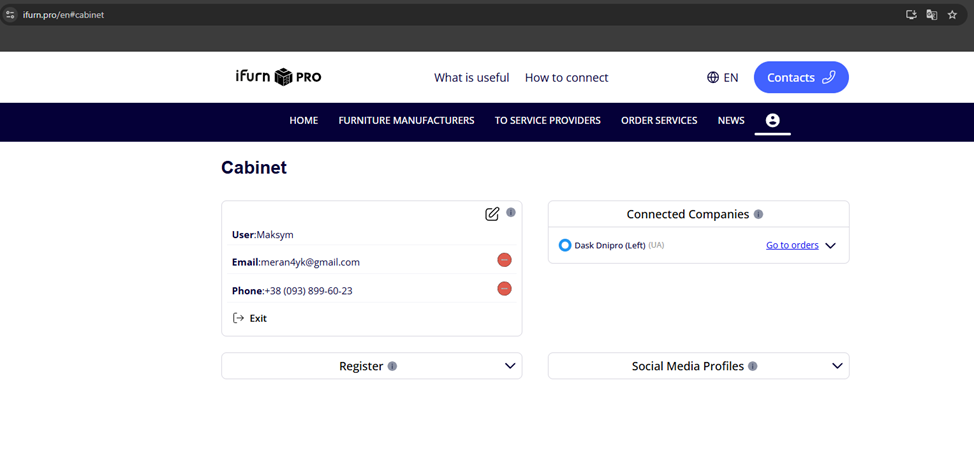
After successful authorization, you will get to your user account .
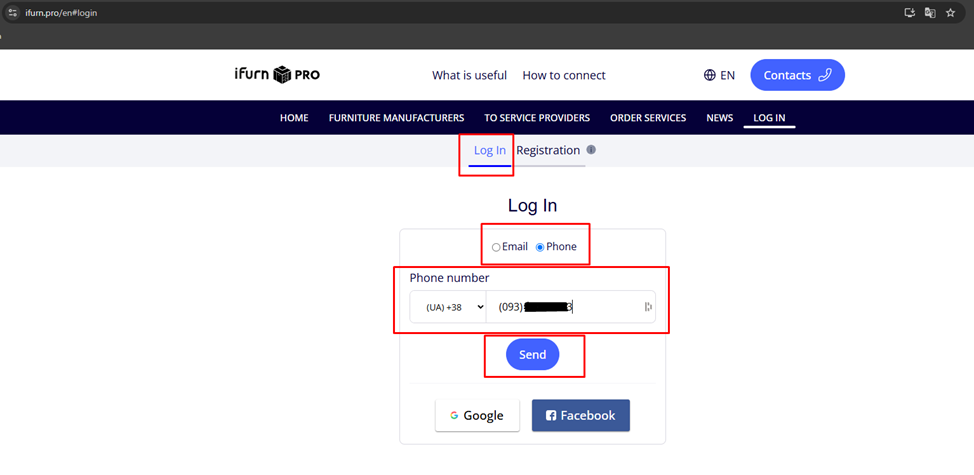
Method 2 .
Enter the phone number specified during registration .
- Click the Send button.
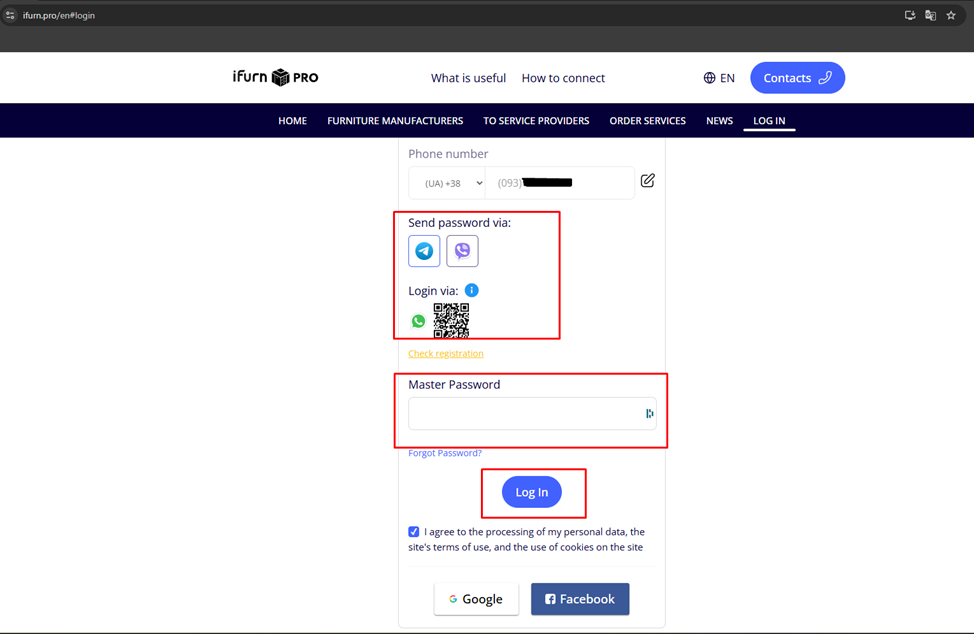
- Now select the method of login to the account:
- Enter the master password you received when you registered your account.
- Click send .
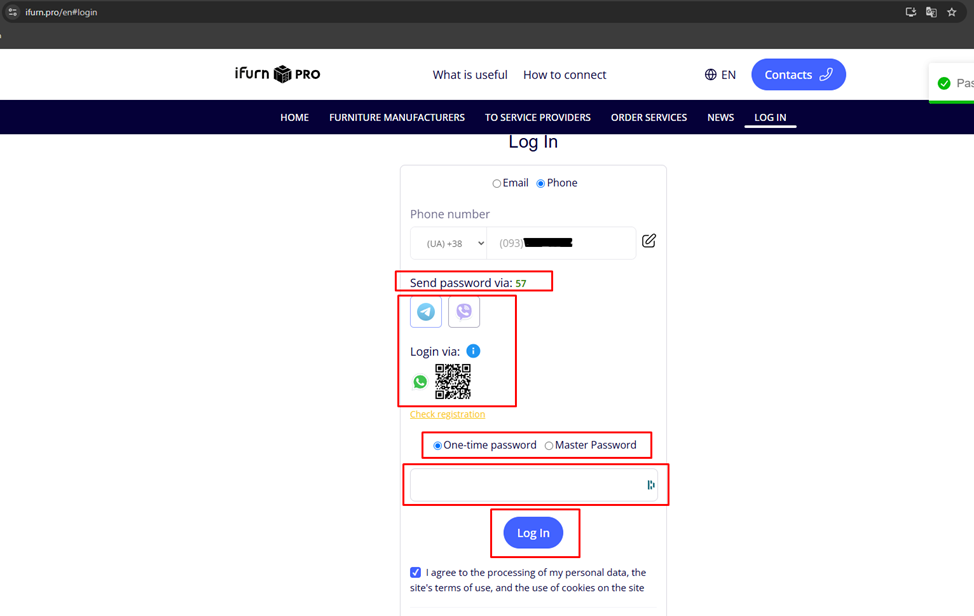
- Or scan the QR code for authorization through the chatbot (if you connected it during registration).
- A one-time message will be sent to the messenger of the connected chatbot password (valid for 60 seconds).
- Enter the OTP from the chatbot.
- Click send .
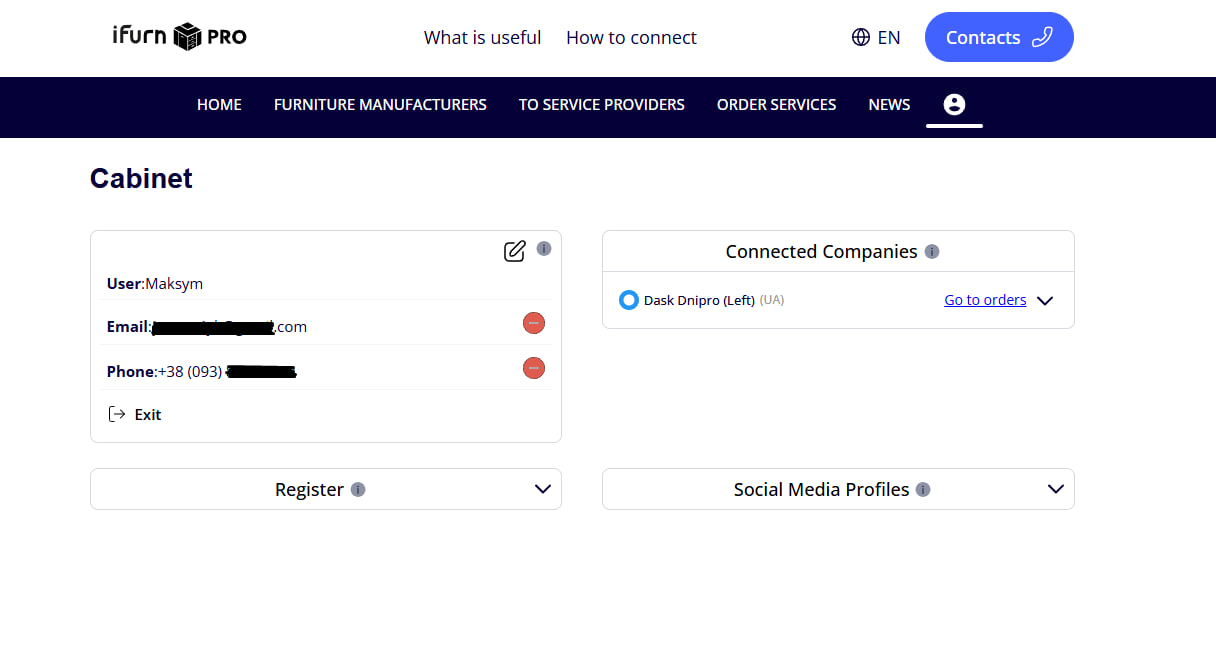
After successful authorization, you will get to your user account .