

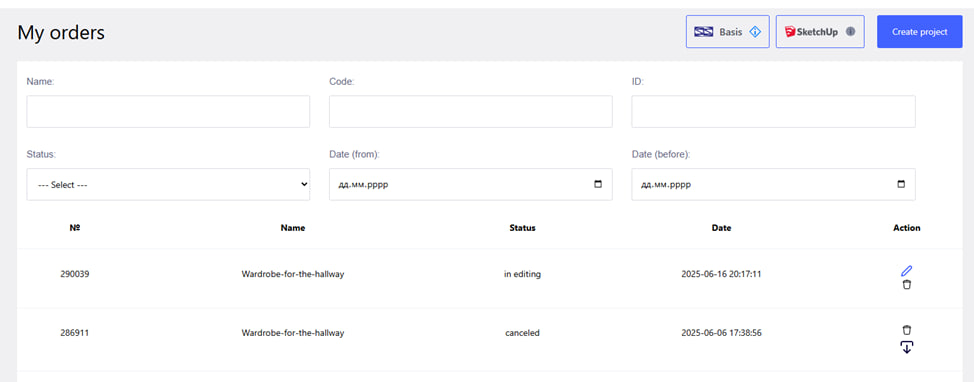
By clicking on the button with the company logo , you will return to your personal account, to the "My orders " tab.
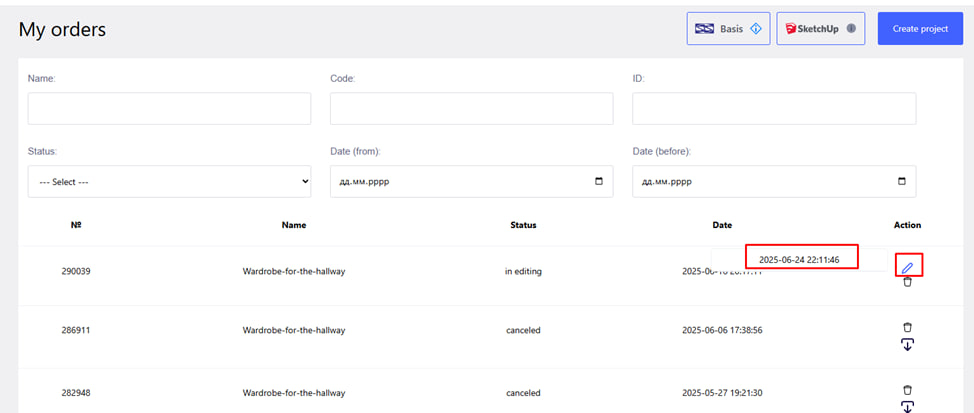
To return to the project :
- Find the desired order in the list in your personal account.
- Click on the pencil icon on the right.
- The date of the last save of the project will appear.
- Click on this date - the system will automatically redirect you to edit the project.