

The " Details " tab is the main section when creating your project, where you enter details for each material separately .
Main purpose:
This section forms all the parts that will be cut and further manufactured. For each material, you can specify the exact parameters of the part separately.
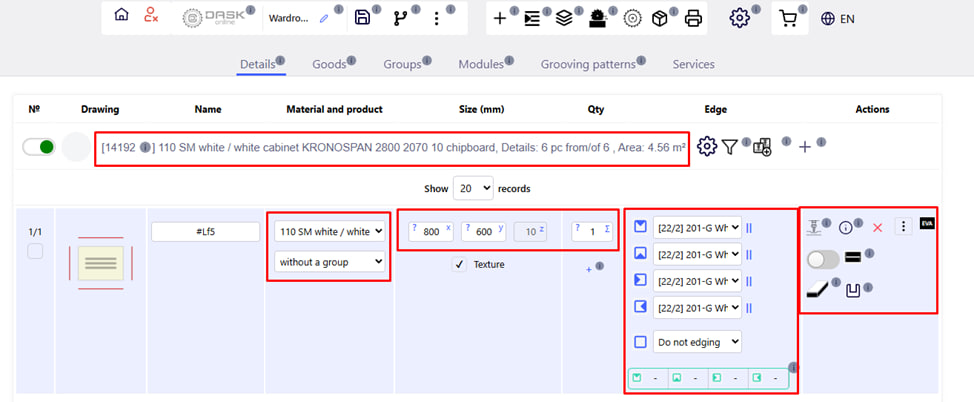
What parameters can be set:
- Part name;
- Name of the material;
- Group membership;
- Length, width;
- Number;
- Edge type and sides;
- The presence of texture.
Possible operations on parts:
- Embroidery ;
- Drilling ;
- Milling ;
- Grooving ;
- Corner processing ;
- Processing of sides;
- Fast stitching;
- Trimming (cutting to size);
- Notch ;
- End cut .
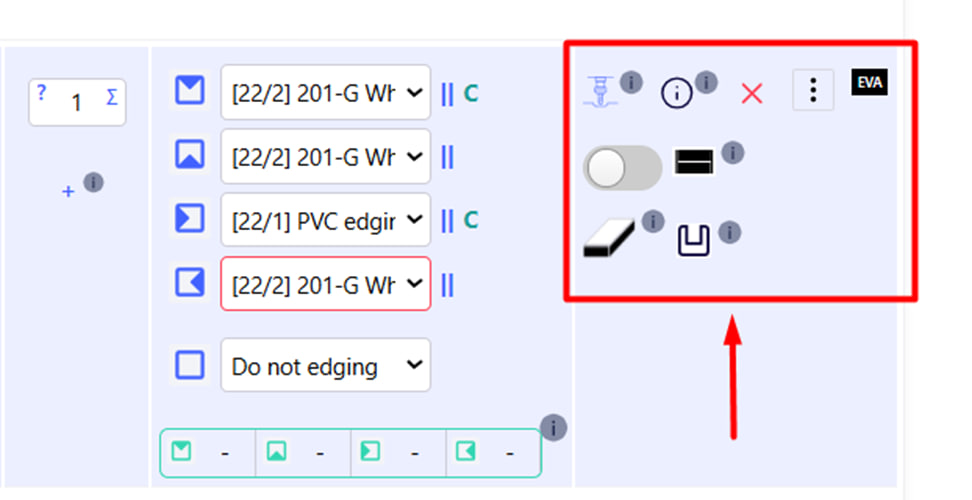
The following functions are available in this block:
- Editing CNC operations;
- Information on the details ;
- Deleting a part ;
- Actions and Operations button ;
- Fast Stitching ;
- End processing ;
- Grooving patterns .
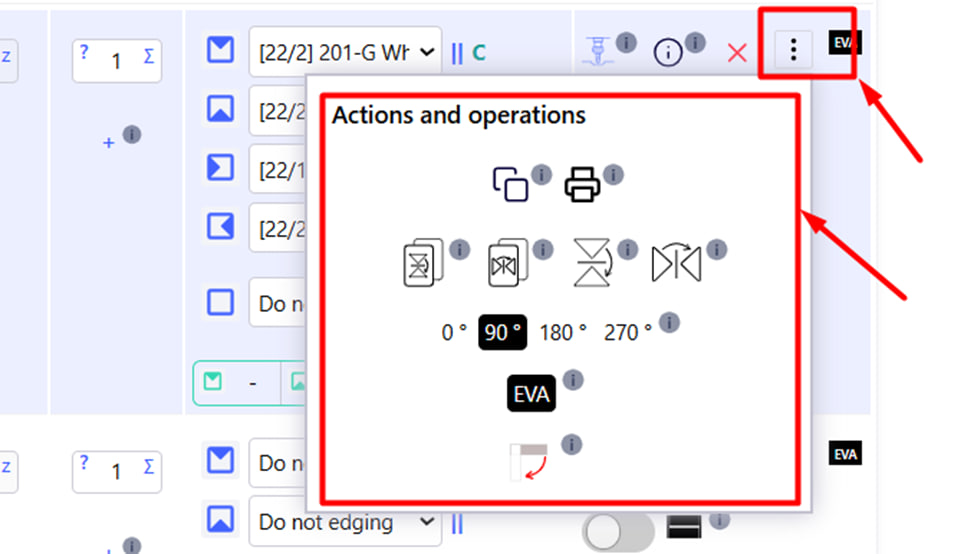
By clicking the Actions and Operations button, the following functions will be available to you:
- Copy part;
- Print report;
- Vertical copy with reflection;
- Horizontal copy with reflection;
- Vertical display of the current part;
- Horizontal display of the current detail;
- Part rotation : 0, 90, 180, 270;
- Edge type (e.g. EVA );
- Rotate the textured part.