
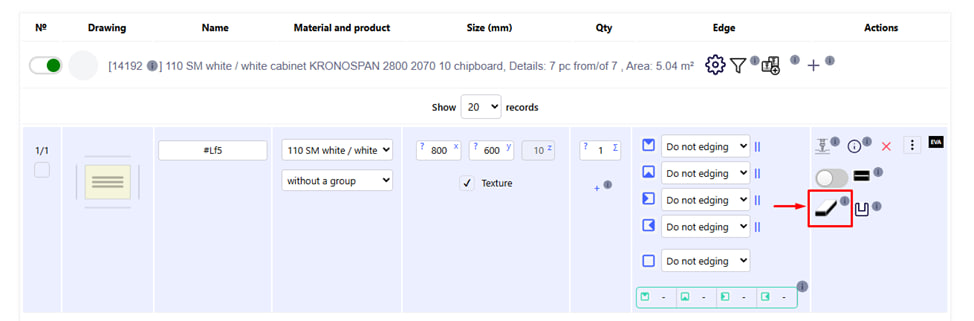
The End processing button opens a menu in which you can set the type of processing for each end of the part separately.
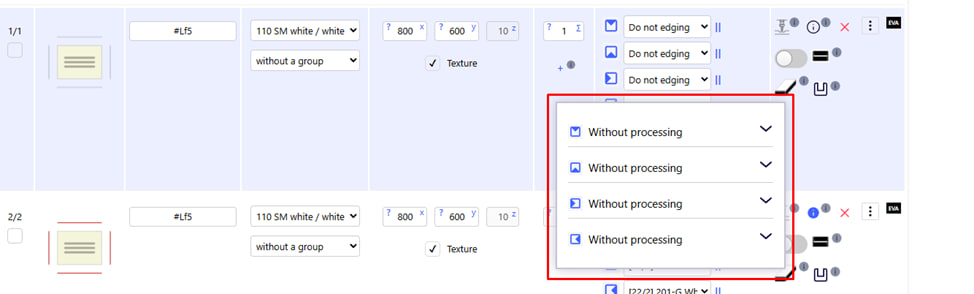
The main available types of end finishing:
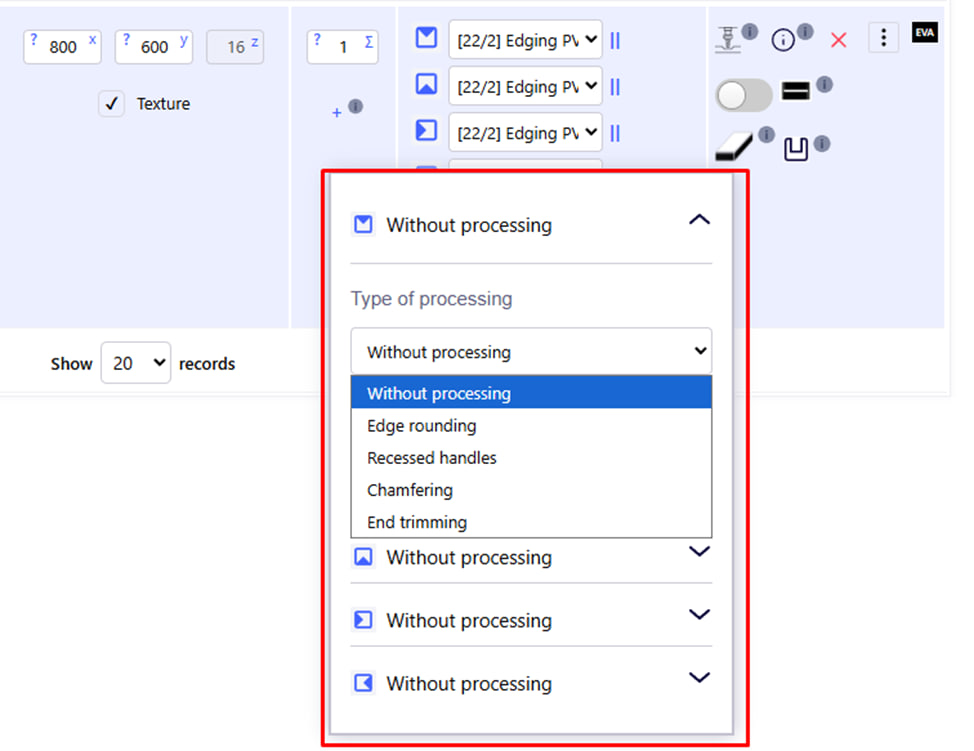
- Without processing is the default choice when no additional processing is applied.
- Edge rounding - creation of rounding.
- Recessed handles — installation of profile handles built into the part.
- Chamfering — chamfering from the edge of the part.
- End trimming — cutting the end at an angle (can be arbitrary or standard).
Setting the corner cutting parameters:
- Machining side - select on which face of the part the cutting will be performed.
- Offset from the edge — the distance from the beginning of the face to the beginning of cutting is set.
- The cutting angle is set in degrees.
- Cut processing — the ability to activate additional processing of an already cut end face.
Note : Standard parameters for such operations can be preset in the administrative panel .
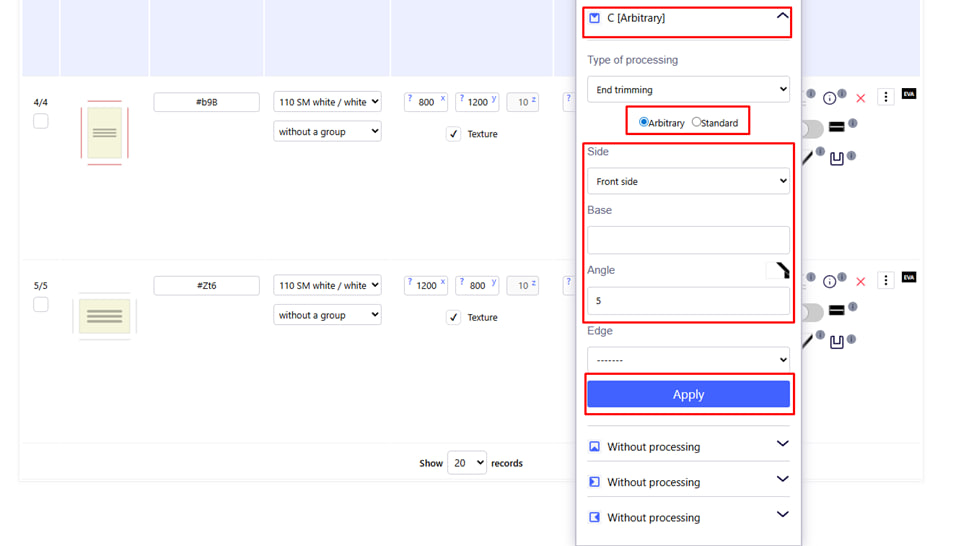
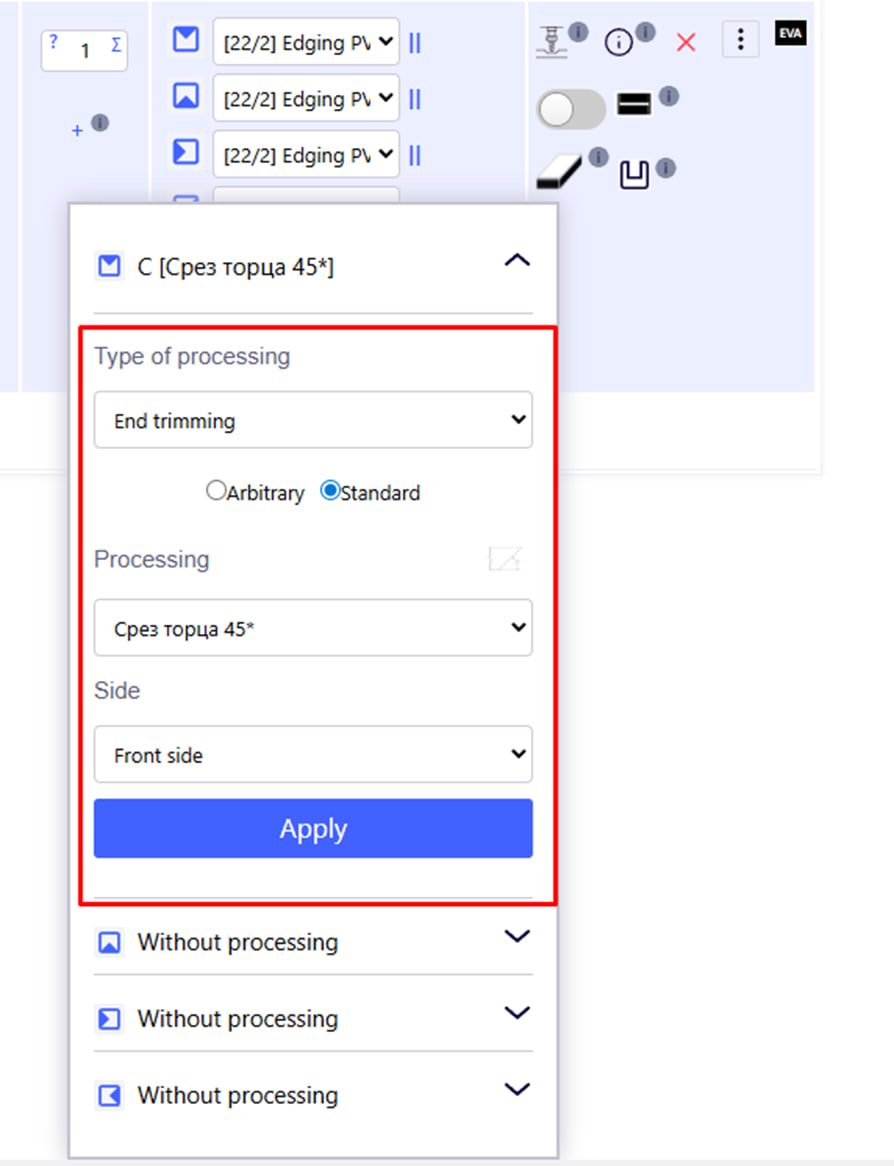
After selecting the end trimming (End trimming), a window will open with detailed settings for the processing of each end of the part. With its help, you can set the type of end processing, cutting angle, execution side and additional parameters.
Basic parameters
- Type of processing. Select the type of operation to process the face. For example:
- Without processing — without processing;
- End trimming — cutting (trimming) the end at an angle;
- Arbitrary / Standard. Choice of cutting type:
- Arbitrary — arbitrary cutting with manual angle adjustment;
- Standard (Standard) — standard settings from the admin panel.
- Side (Side). Select the side of the part that will be processed:
- Front side – front;
- Back side - rear;
- Left side / Right side – left or right;
- Top / Bottom - upper or lower.
- Base (Indentation). Enter the edge offset value.
- Angle (Angle). Enter the value of the angle at which the undercut should be made. For example, 5°.
- Edge (Edge). Select the edge to finish if the finish is related to edging .
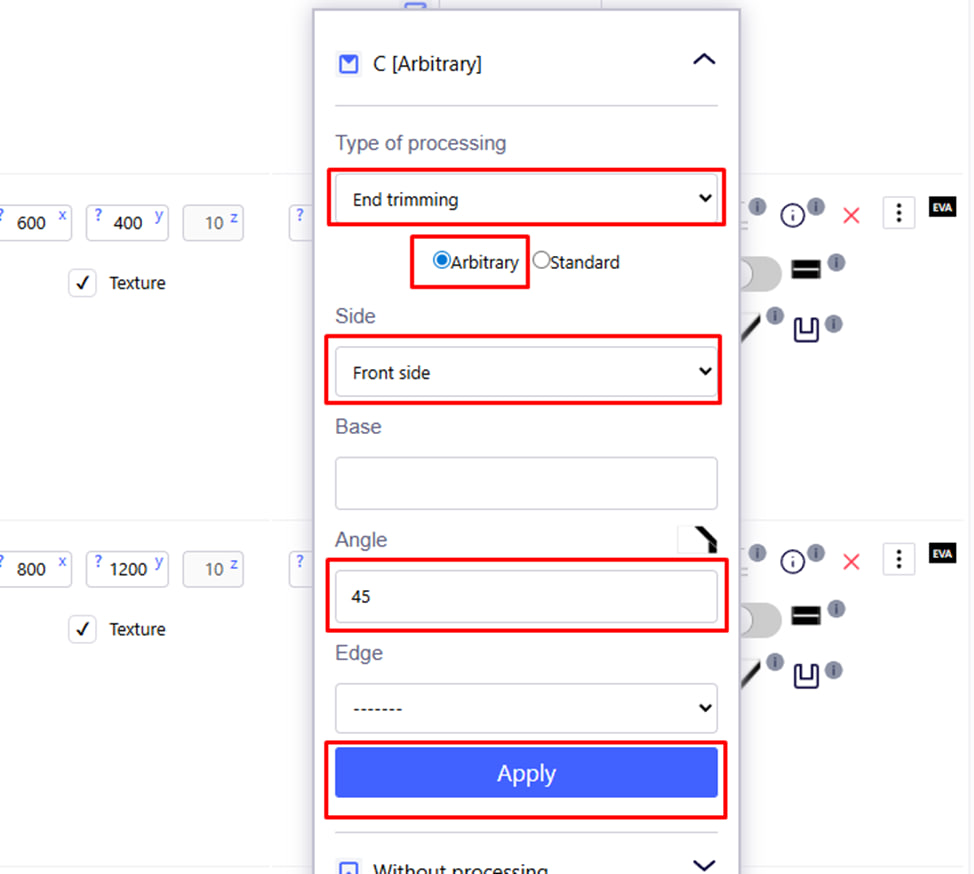
Application
After filling in all the fields, click the Apply button - the changes will be applied to the selected side of the part.
Note :
This tool is particularly useful for specifying angled, rounded, or slotted end finishes that are difficult to implement with standard tools.
Please note : in the "Recessed handles" menu , the handle is directly installed , which is selected from the material base.
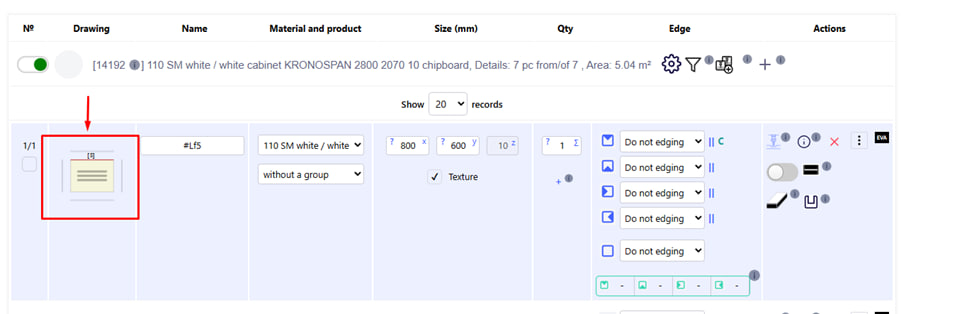
In order to see directly on the part the settings of the end section that you entered, you need to click on the drawing of the part .
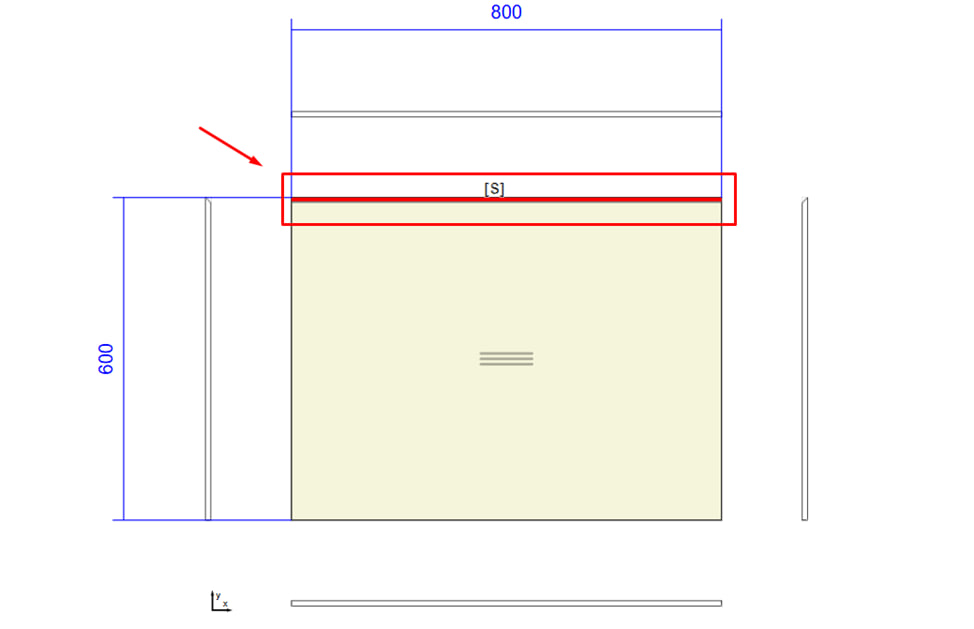
In the drawing, this section is marked with the letter “ S ” and a red line .