

Groove - Groove milling is used to create mortise handles or cutouts of the desired shape and size.
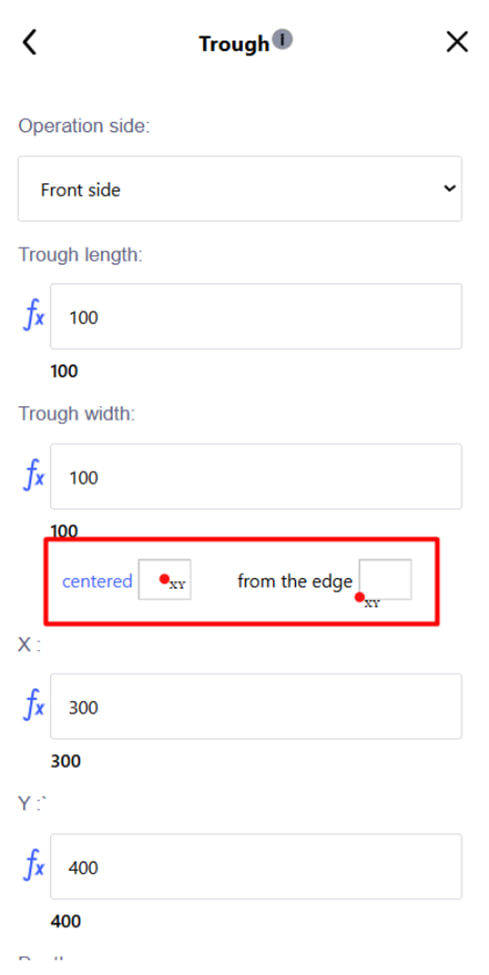
Setting options:
- side (front / reverse);
- length (X), width (Y);
- a switch that allows you to set the X and Y coordinates - from the center of the notch or from its edge;
- coordinates of the center (X, Y) or the reference point of the coordinate system, depending on the previous setting;
- depth (Z);
- notch type: circle, rectangle, rectangle with rounded edges;
- radius (for circle and rectangle with rounded edges).
After the settings, click the blue " Add " button to confirm the operation. After that, the recess will automatically appear on the drawing of the part.
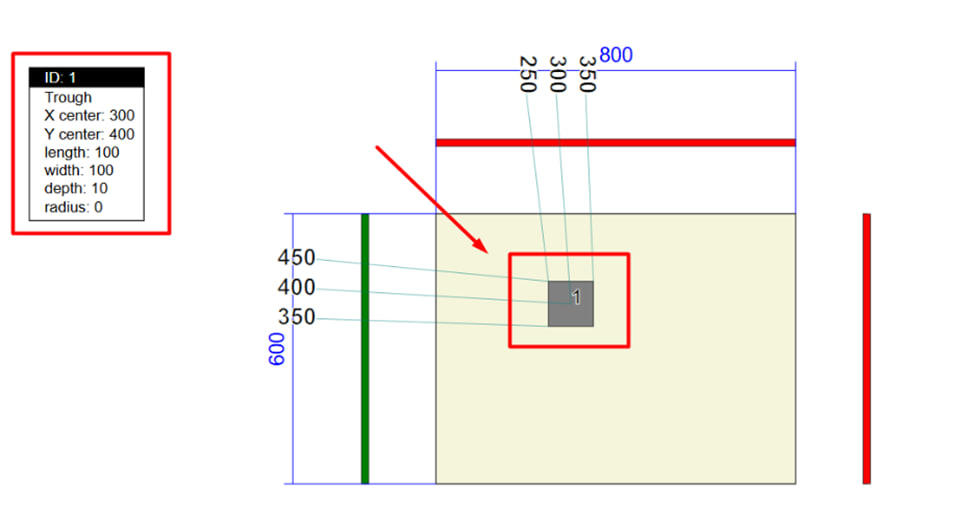
Note :
- If the depth is greater than the thickness of the part, a through milling cut is formed.
- If the depth is less, the excavation is performed in several passes with overlaps, over the entire area of the excavation.
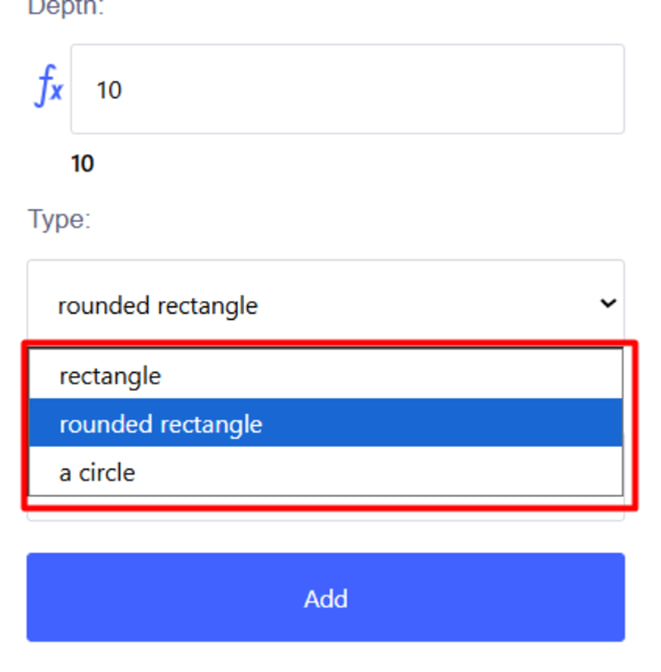
Note : If you select the notch type " circle " or " rectangle with rounded edges ", an additional field for setting the radius opens.
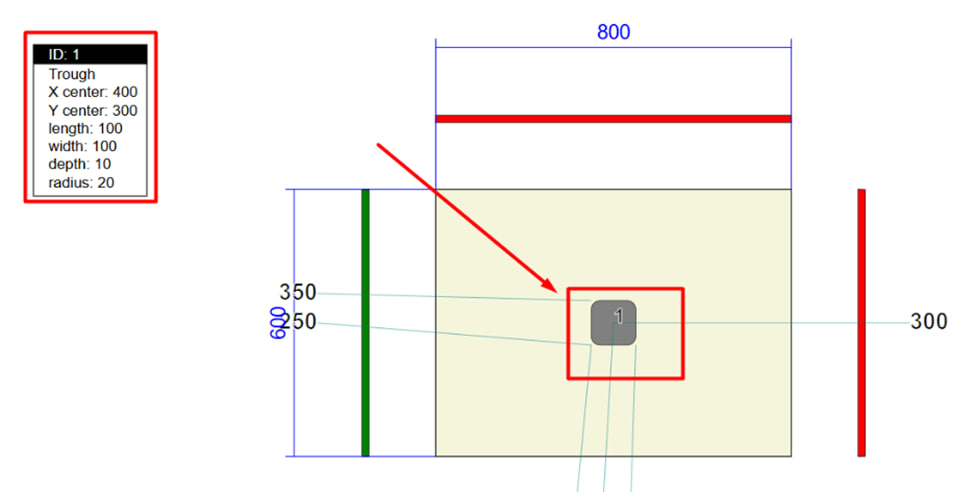
An example of a notch is " a rectangle with rounded edges ".
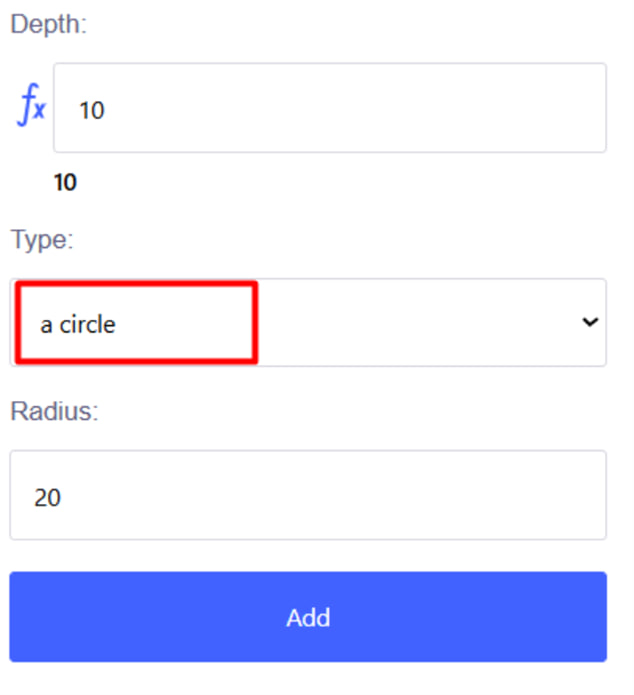
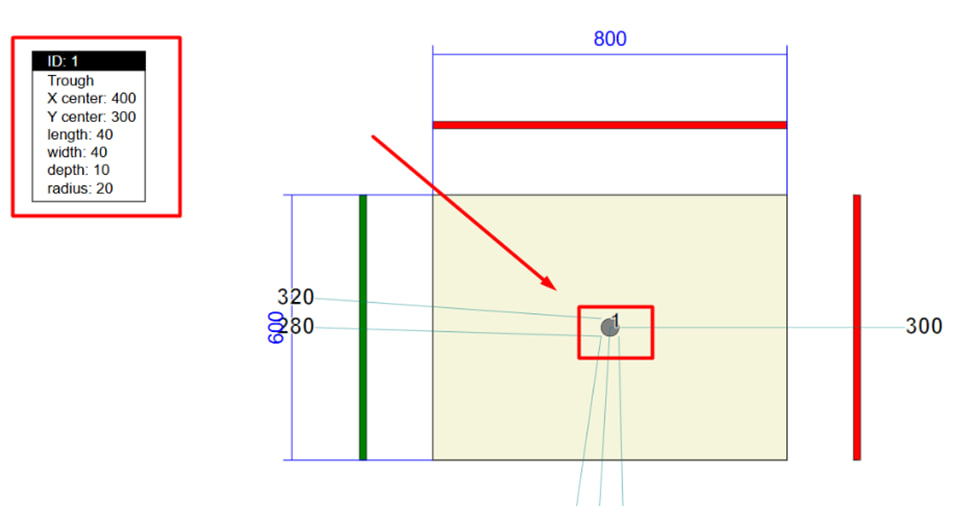
An example of a notch is " circle ". 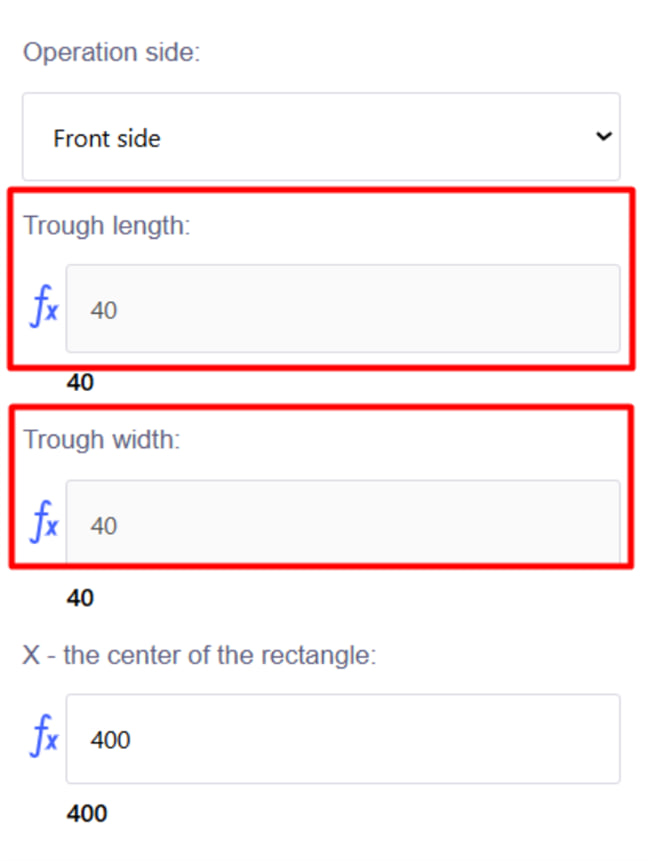
Note : When you select a radius , the length and width are set automatically .