
History of operations - a blue icon in the form of a clock opens a list of all operations that have been added to the detail.
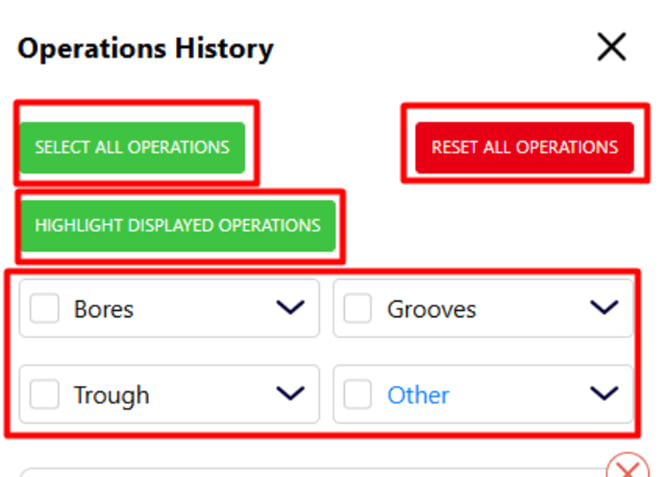
The following functions are available in the window:
- Select All Operations — select all operations.
- Reset All Operations — resets selection of operations, all checked boxes disappear.
- Highlight Displayed Operations — highlight operations selected on the drawing.
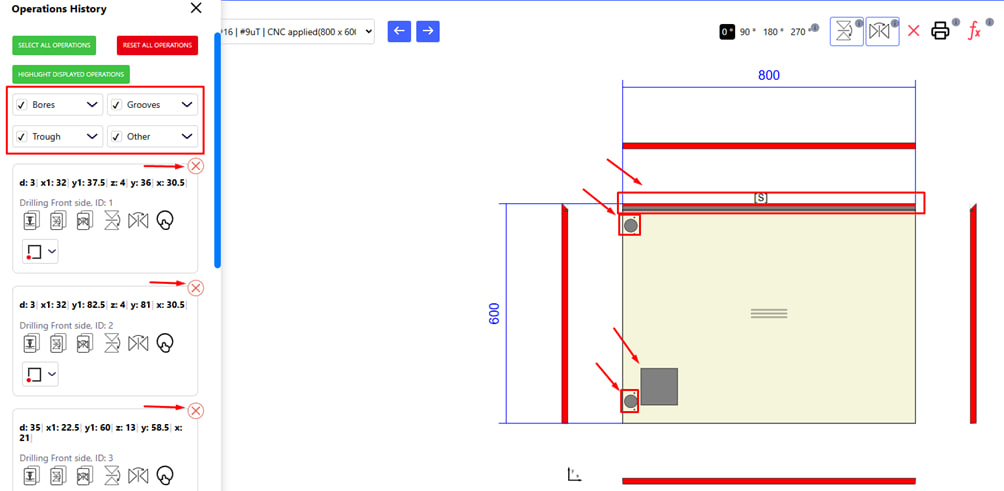
The list below shows all operations performed on the part. Each operation has:
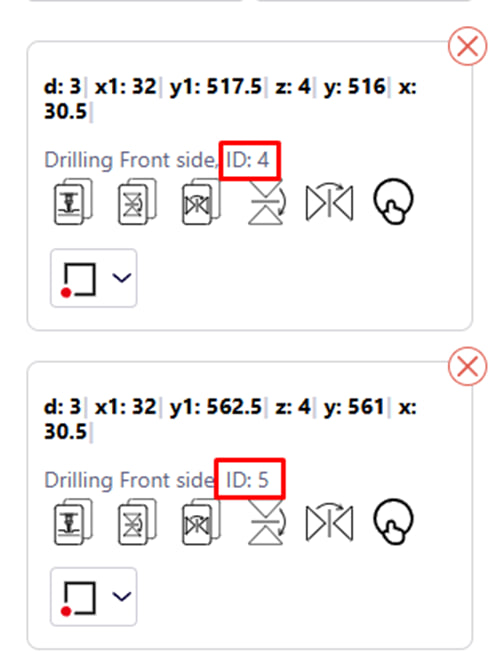
- identifier ( ID );
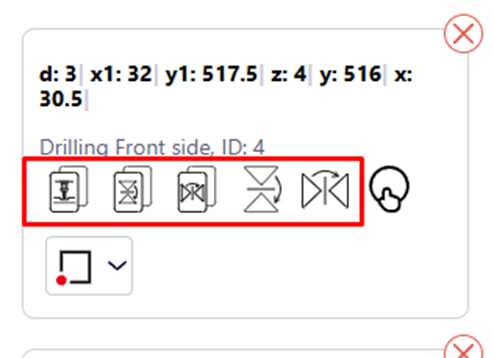
- a list of possible actions with the operation, namely:
o copy;
o copy with vertical mirroring;
o copy with mirroring horizontally;
o mirror vertically ;
o mirror horizontally .
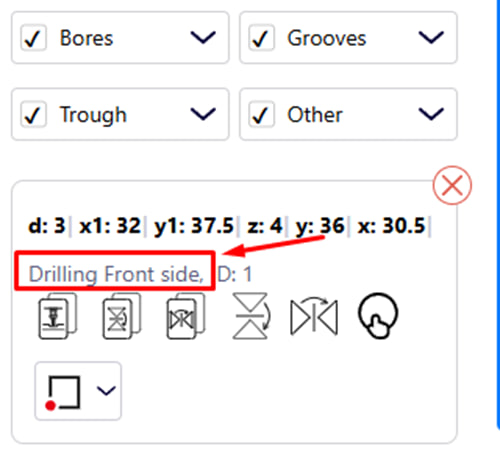
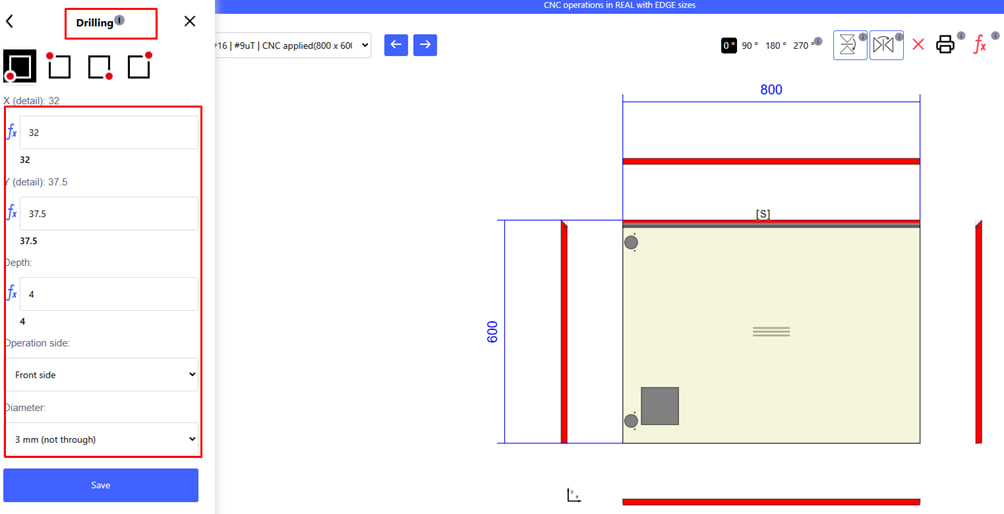
- button for editing;
o If you click on the operation name, the window for editing this operation opens.
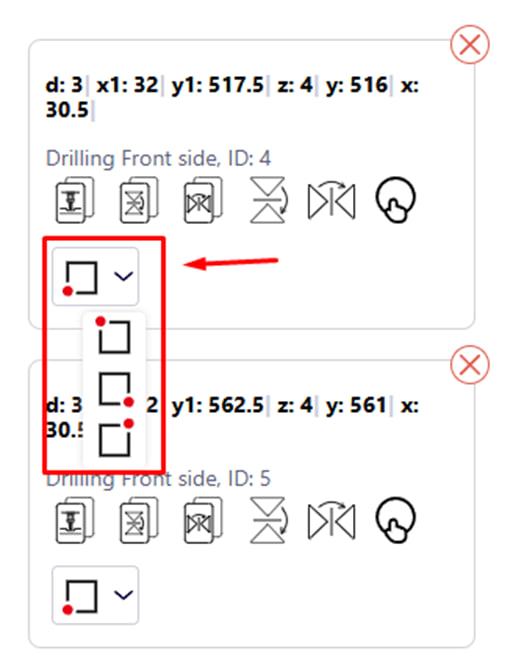
-
- If you click on this button, you will be able to change the angle of the origin of the coordinates .
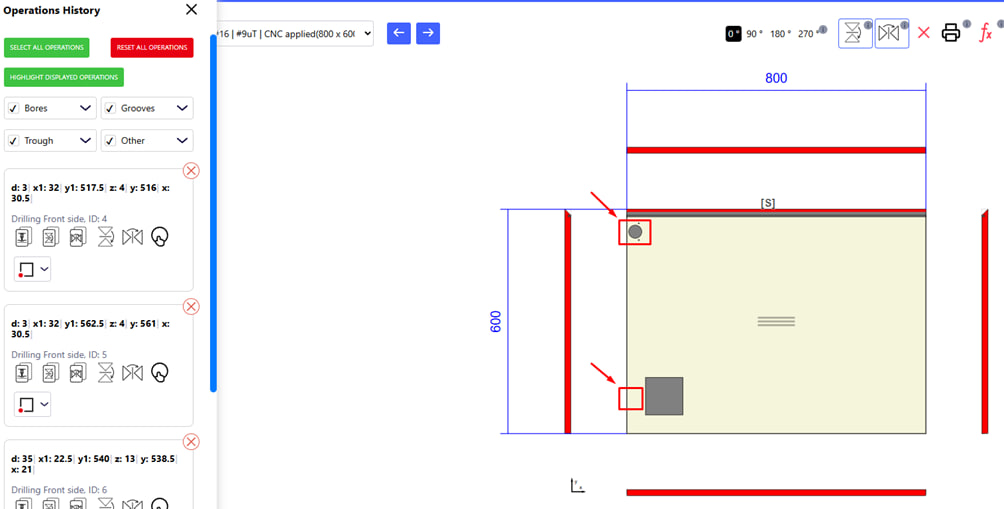
- red cross to delete a specific operation.
Clicking on the red cross deletes the selected operation, after which the changes are automatically reflected in the drawing, and the operation disappears from it.
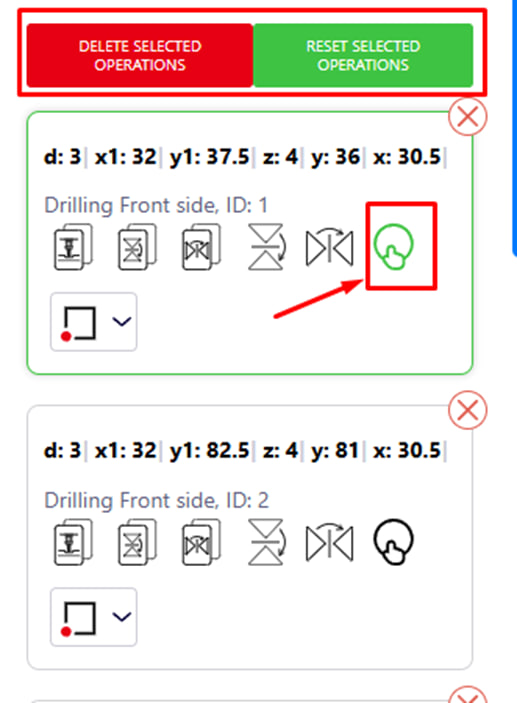
In order to select an operation, click on the appropriate button. After that, the following actions will be available to you:
- deleting the selected operation;
- reset the selected operation.