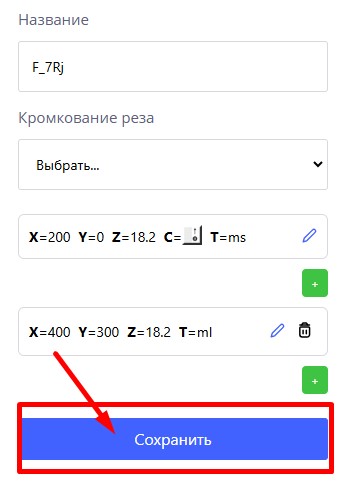
On the part editing page in the processing operations menu, you can create or change a milling contour.

When creating a milling cut, the first cutter entry point is entered.
The following points:
- Straight line – set x, y, z from the previous point.
- Circle—select a center, radius, or point on an arc, specify the direction and end.
- The connection of straight lines can be rounded.
To display the resulting cut on the part, you need to confirm the data entry by clicking on the "Save" button