
You can log in to the system via chatbot .
How to log in:
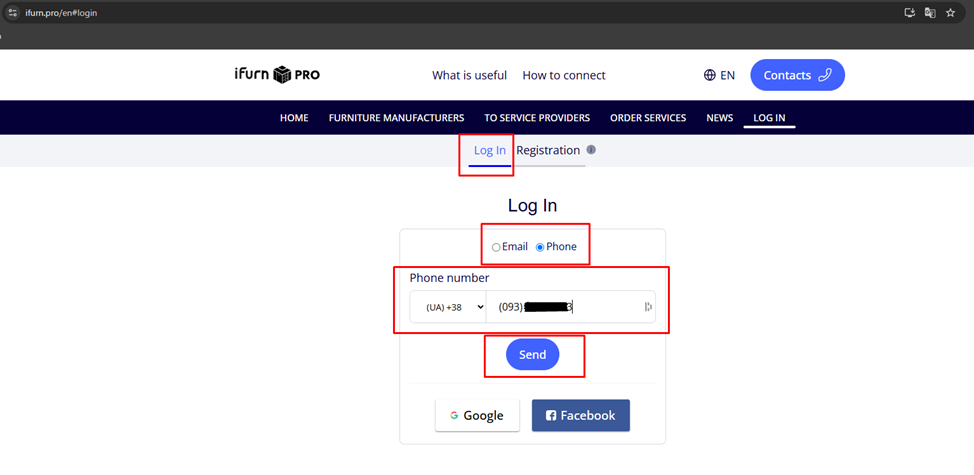
1. Go to the iFurn Pro login page .
2. Enter the phone number you specified during registration .
3. Click the blue Send button.
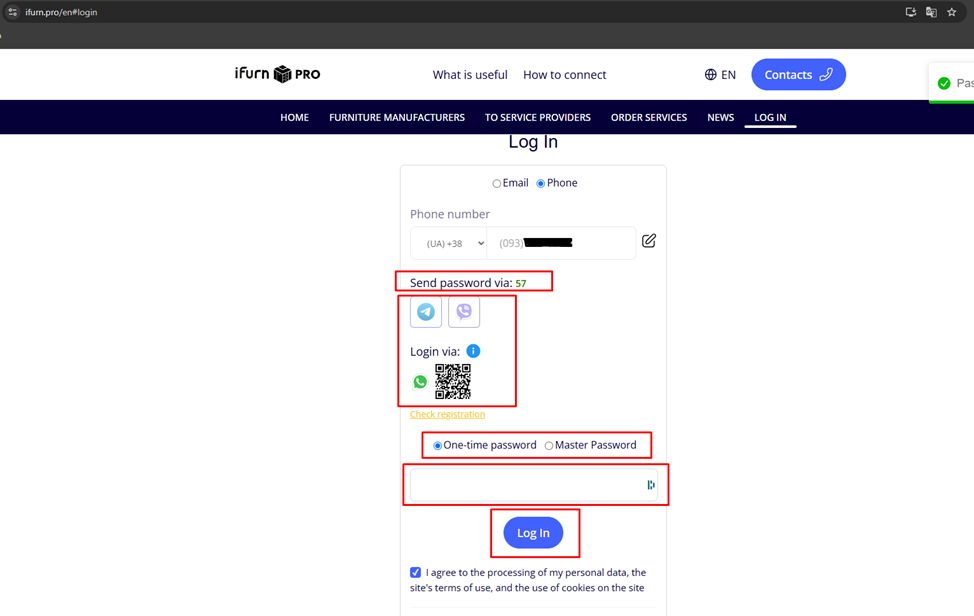
4. Open your smartphone camera or the messenger app of your choice – Telegram or Viber – and scan the QR code.
5. A one-time password (4 digits) will appear in the chat with the connected bot , valid for 60 seconds .
6. Enter the code on the site to log in.
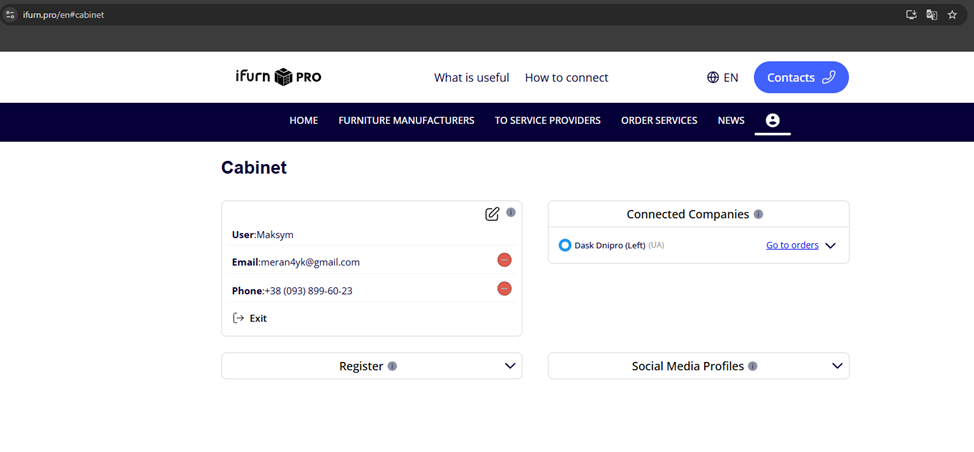
After successful authorization , you will be taken to your personal account.