
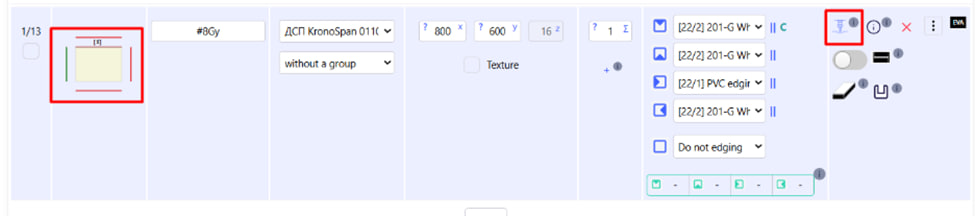
This button opens the interface for editing CNC operations for the selected part. You can click both on the icon with the cutter itself and on the image of the part , which will open the same window. On the detail editing page, you can enlarge/ reduce the drawing, display all segments with IDs and coordinates , and perform CNC operations.
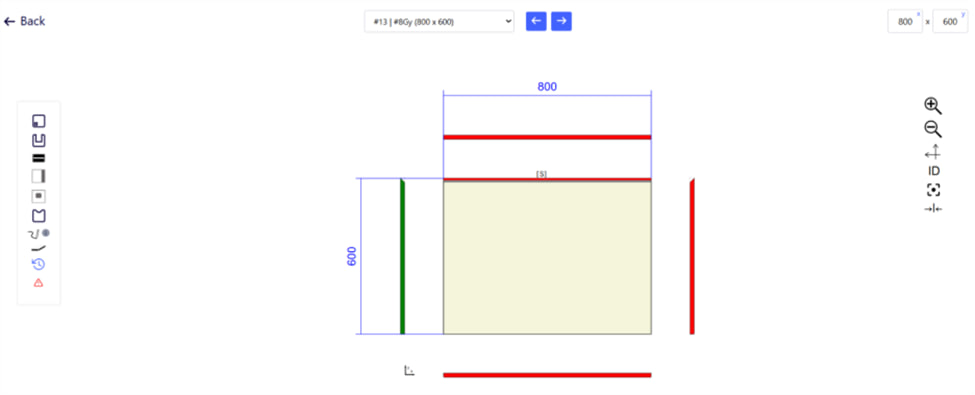
Possible CNC operations:
- drilling (from 6 sides);
- stitching (7 types);
- grooving (from 6 sides);
- end cut at an angle;
- cutting on 4 sides;
- recess (slot handles, cutouts);
- Milling according to templates;
- pattern drilling.
Note : All actions are performed within the overall dimensions of the part, with precise positioning.
Additionally, see related articles :