
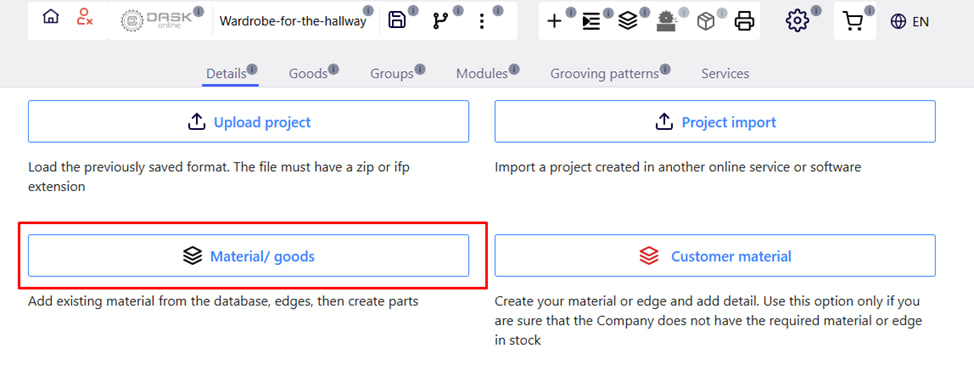
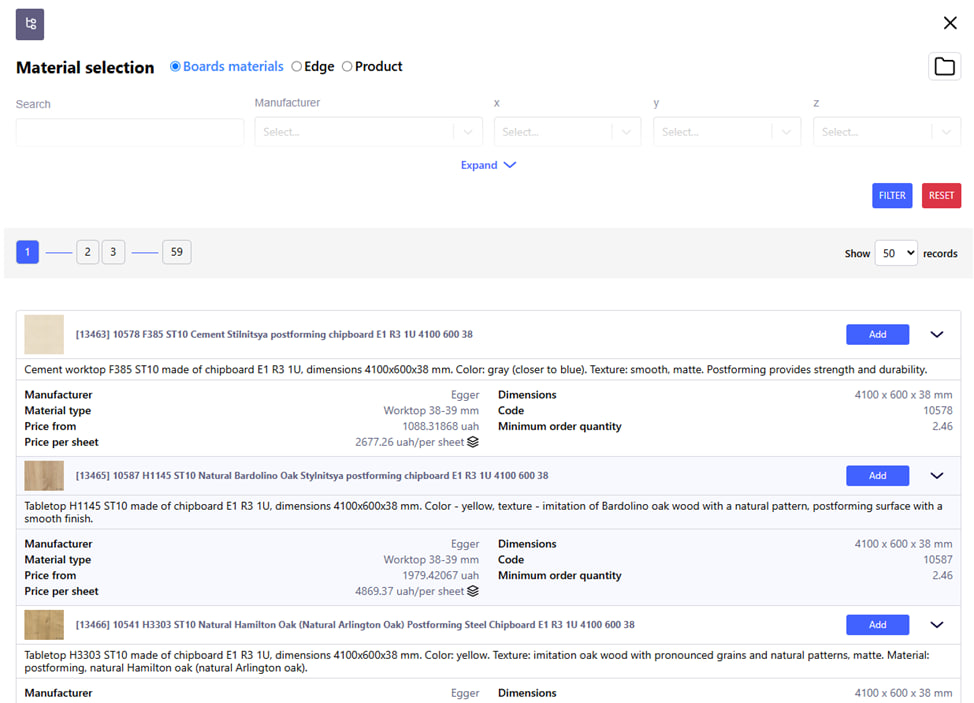
After clicking on the Material / goods button, you will be taken to the material selection page.
When to use:
This is the main and recommended option for creating a new order using standard materials available in the supplier database .
Advantages:
- Ease of use;
- Minimal risks of order rejection;
- Automatic replacement of material parameters.
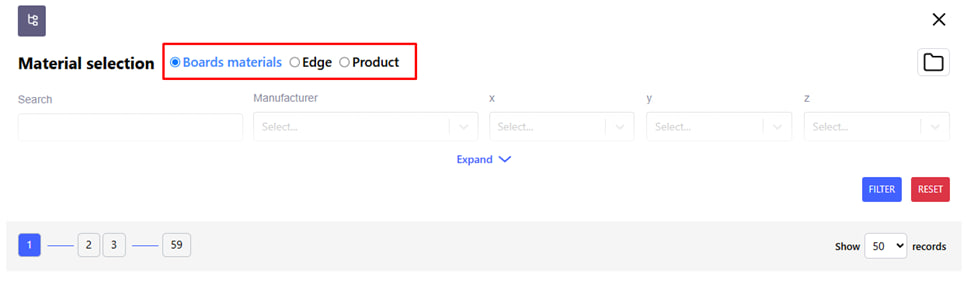
Select the material and edge from the existing base.
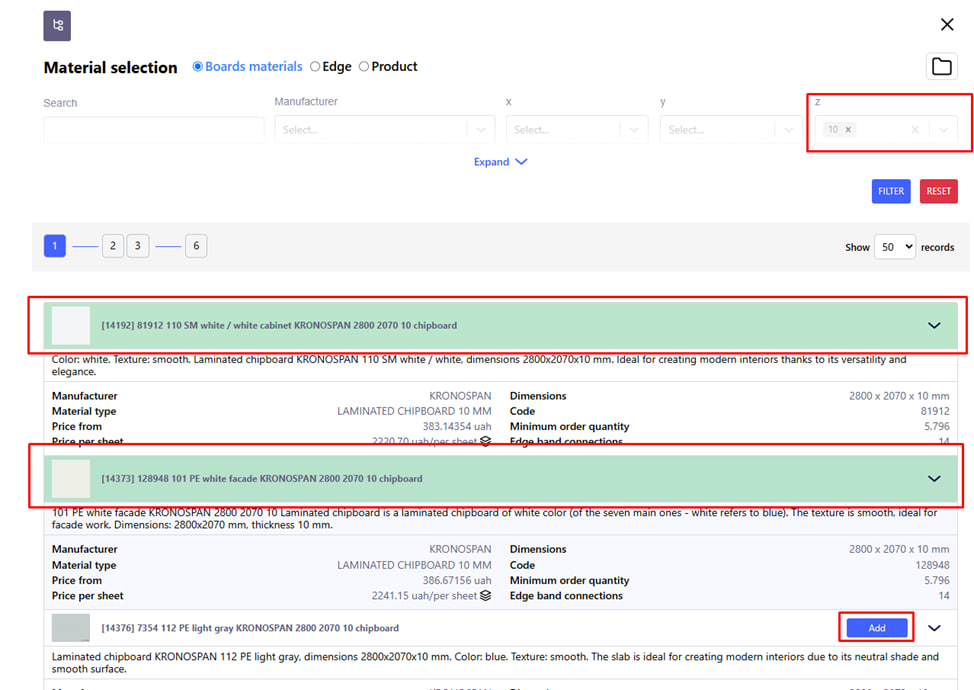
- After you have entered the required search parameters, press the blue " Filter " button to start the search.
- Add the desired material to the order by clicking the blue " Add " button.
- The added material will be highlighted in green .
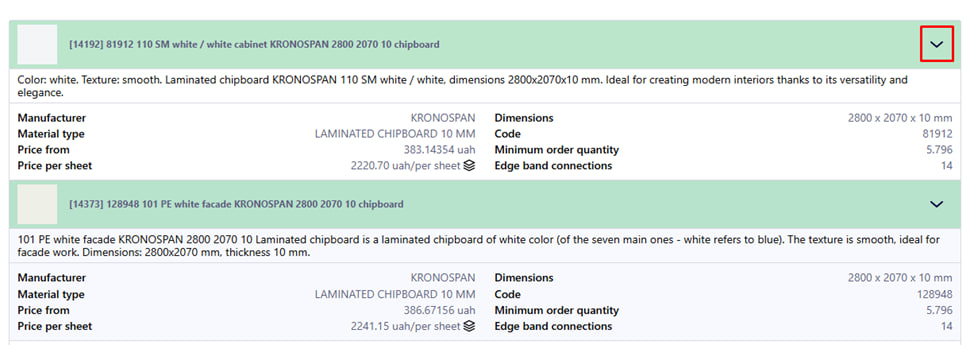
- To view additional information about the attached material, click the arrow in the upper right corner.
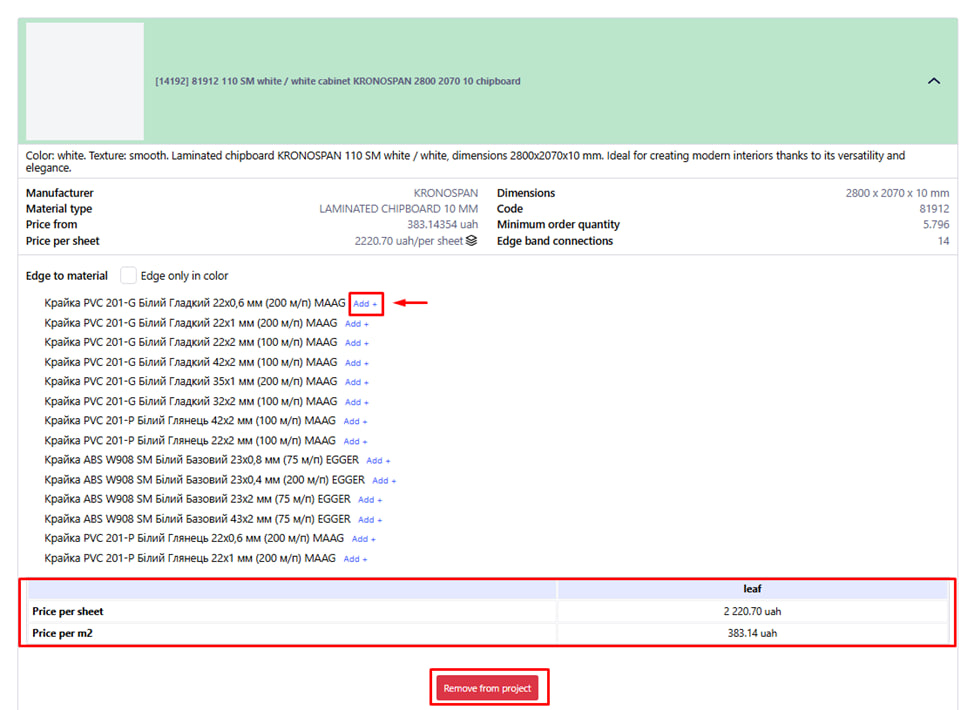
By clicking the arrow , the following information becomes available to you:
- Importantly! Depending on the company you choose , recommendations for adding an edge may be available to you. If the edge list is available, if necessary, click the blue “ Add + ” button next to the desired option. Note : the edge can be added here when choosing chipboard or later when setting up the project.
- Also here you can familiarize yourself with the prices: Price per sheet when sold by sheet or m2 .
- To remove material from the project, press the red " Remove from project " button.
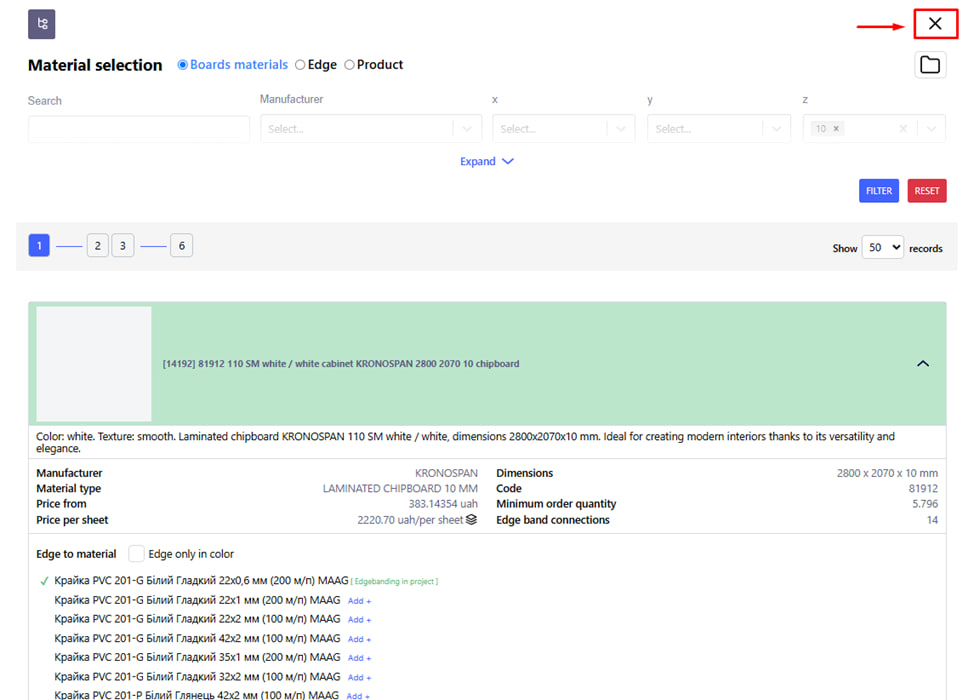
After adding the necessary materials to the project, click the cross in the upper right corner of the page to go to the next menu for creating your project.
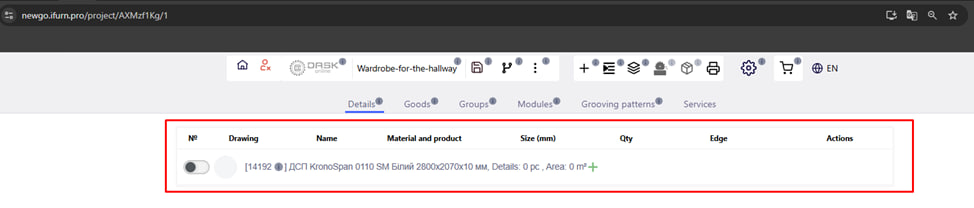
On this page you can see the list of materials you have added .