
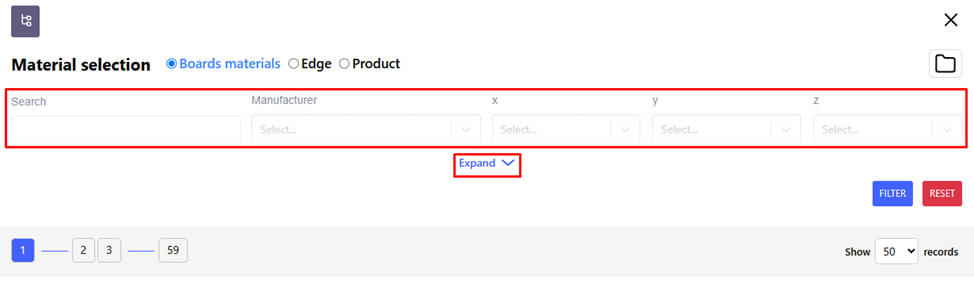
Search by filters in the Material/product menu.
The search is carried out in three categories :
- Plate material;
- Edge;
- Goods.
You can use filters for a convenient search. For example : search by length or width. When selecting a material thickness, for example, 0.45 mm, after clicking " filter " you will see the possible filter values within this selection. With the following filtering, you are guaranteed to find the right position.
You can also search by text search - just enter the necessary data (name, code or ID of the product).
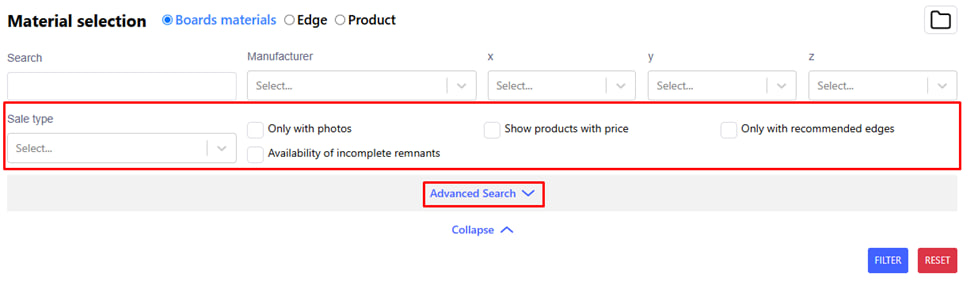
- By clicking on the blue " Expand " button, you will be able to see the recommended quick search filters. For example : only with recommended edges.
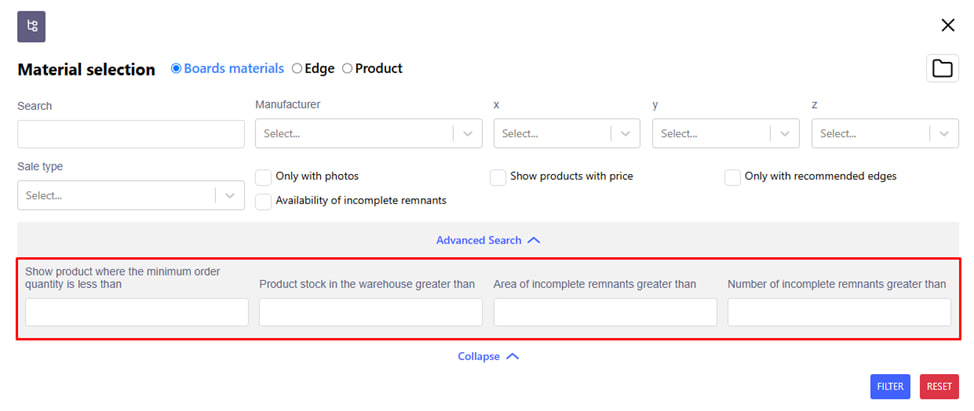
- By clicking on the blue " Advanced search " button, you will be able to see more specific search parameters. For example : Display a product where the minimum order quantity is less than...
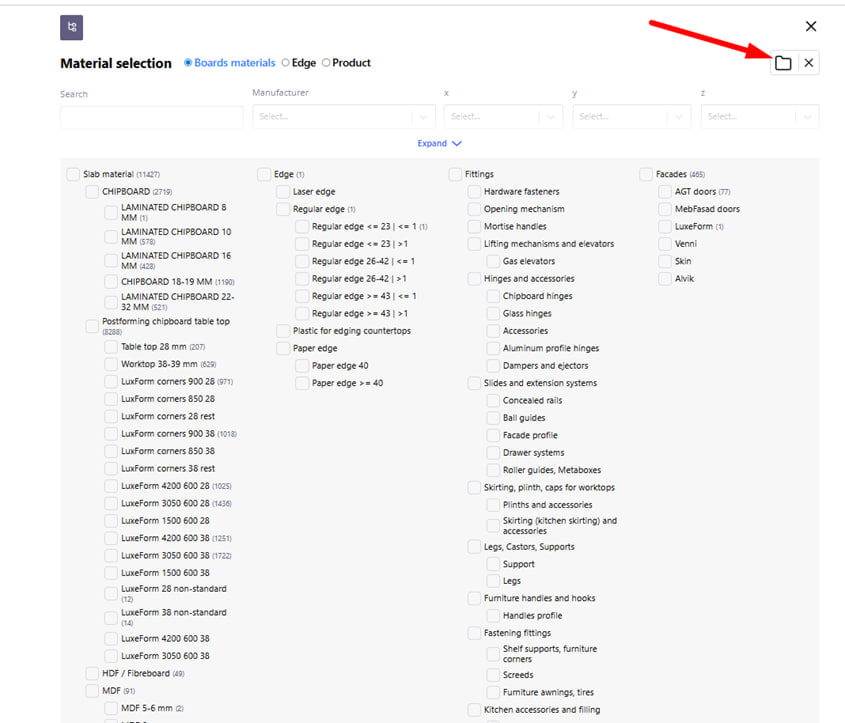
By clicking on the Folders icon, you can see the search structure based on the type of material .