

The " + " button is used to manually add a new part to the selected material in your project.
How this feature works
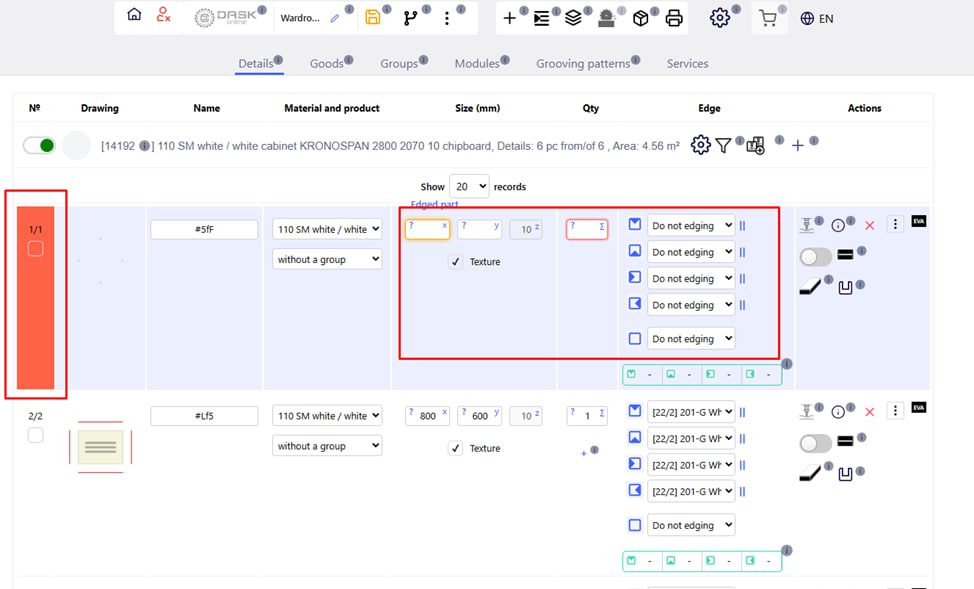
- The added part automatically becomes the first part in the list of parts for the corresponding material.
- You can immediately fill in all the necessary parameters: dimensions, name, quantity, processing, creasing, etc.
Features
- This method is convenient if you need to quickly enter a separate part manually , without importing.
- If a detail is entered by mistake, it can be edited or deleted from the list.