
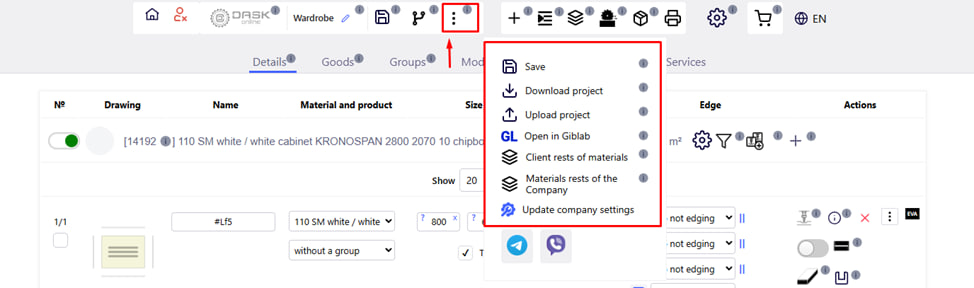
By clicking on the corresponding icon, a menu will open in which you can perform the following functions:
- Save the project on the server by clicking on the Diskette icon
 .
. - Download the project to your computer. Note : the download is in .zip extension.
- Download the previously saved project from your computer to the server. Note : Downloads are in .ifp or .zip format. Important : The downloaded project completely deletes the previous one!
- Open the project in Giblabe for configuration.
- View the availability of your materials in the Company's warehouse . These are the balances transferred by you to the Company for safekeeping. Note : when adding materials to the project, the system automatically pulls up the rest of your materials . The Client's balances are not taken into account when calculating the account.
- Non-whole remnants of the Company's material are remnants whose size is smaller than the size of a whole sheet. In the case of letter sales, the remaining material of the Company is calculated according to its size in square meters. Note : Partial remnants of the material can be purchased without services in the " Products " section.
- Update company settings button.