
After creating a project and entering all materials , adding details and finishes , you can proceed to the packaging stage, where the system automatically forms logical packaging units taking into account the dimensions and number of details.

In the upper navigation bar of the project, click on the box icon 📦.
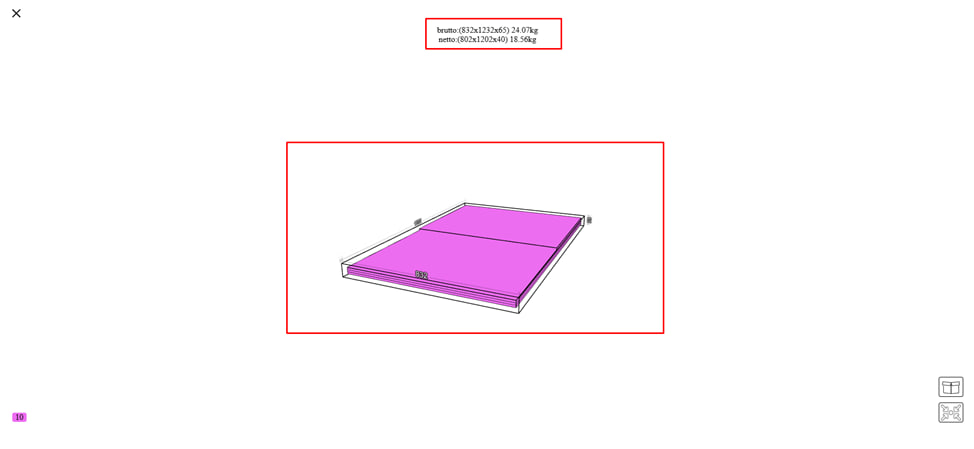
After that, you will get to a page with all the information related to the packaging of your order, namely:
- Graphic presentation of the package. The system provides a schematic representation of the placement of parts in packages.
- The volume of the order, its dimensions and weight. This makes it possible to plan logistics and storage. Note : the total volume of packages is calculated automatically .
- Type of packaging ( set by the company ). For example :
- Corrugated cardboard.
- Stretch film.
- Styrofoam
Note : information about the type of packaging is displayed in the documentation for the order.
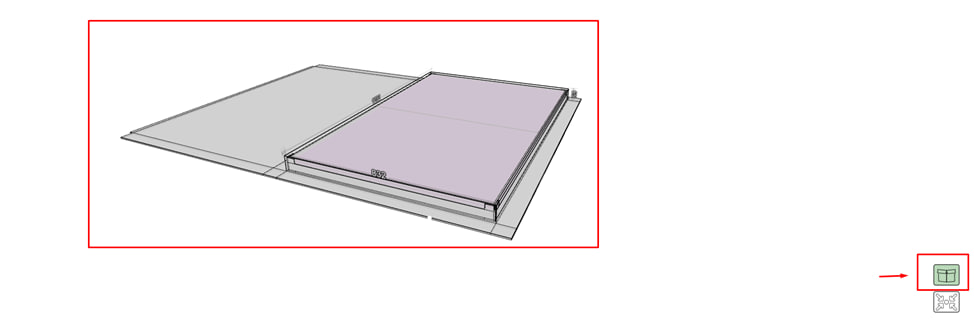
By clicking on the corresponding button , you will see an expanded visualization of the packaging . Here you can see, for example , spacer triangles, which ensure fixation of the material in the middle of the packaging and create reliable protection for safe transportation.
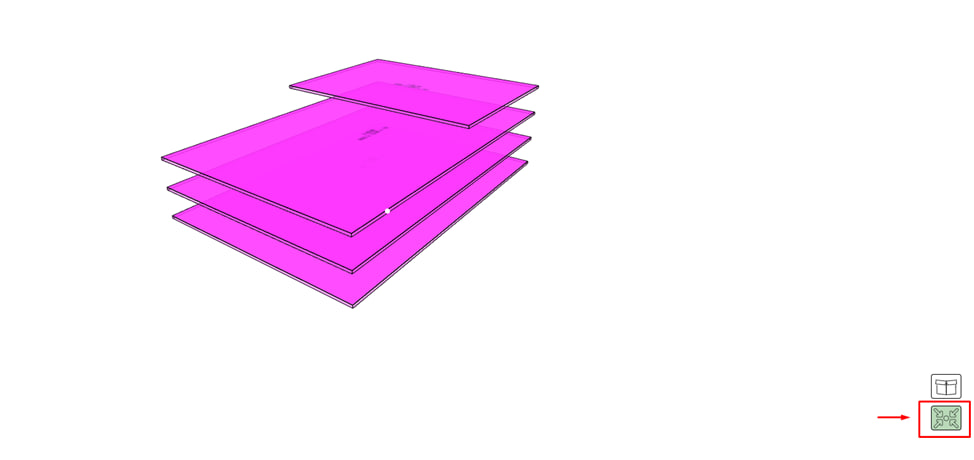
By clicking on the appropriate button, you will see the automatic grouping of parts into packages .
- The program takes into account the dimensions of the parts, the type of material and the quantity. Forms convenient batches for packaging according to the company's settings.
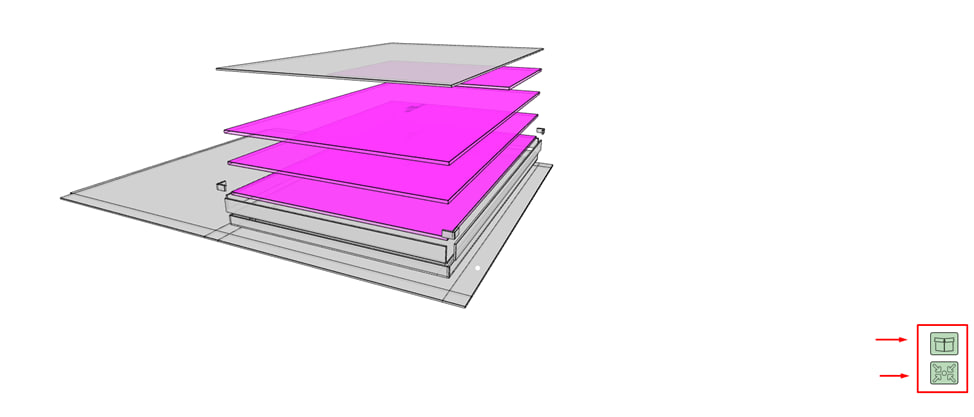
If you press both buttons at the same time, the system:
- will show the appearance of the package, including the wrapper;
- will reveal the internal structure of the package , where it will be clearly visible how individual parts are grouped (layers, positions, stacking sequence).
This enables:
- it is easy to check the correctness of the package formation;
- assess the safety of placing parts;
- use visualization for a packer or logistician.