

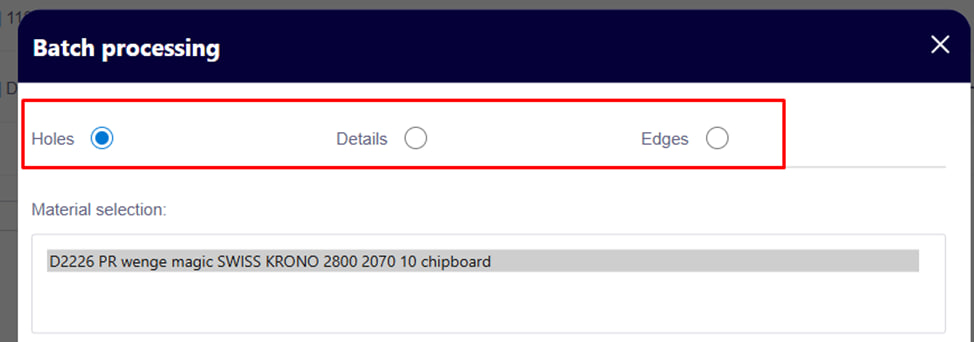
Group processing of parts allows you to massively change parameters on parts of the same material. This significantly saves time when you need to make the same corrections to a large number of details.
How it works
- In the Group Processing window, choose exactly what you want to change: Holes, Details, Edge .
Open:
1. Selection of material
First, you need to choose the material in which changes will be made.
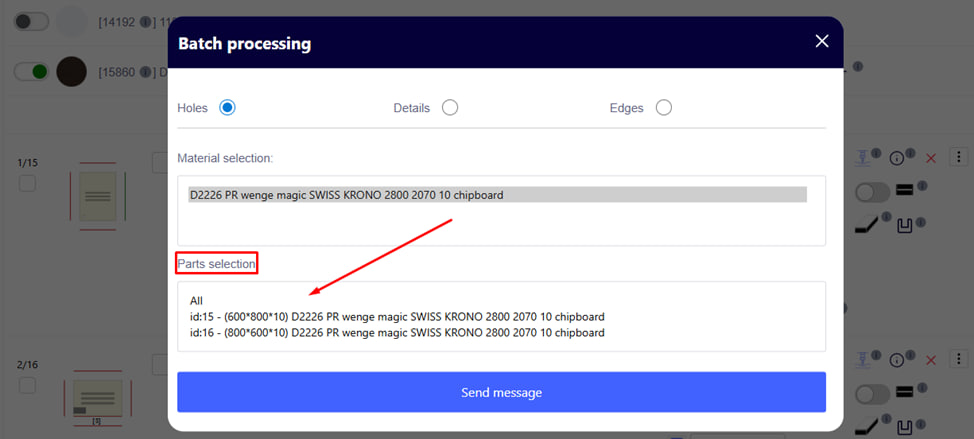
2. Selection of details
Next, you need to specify to which details the group operation will be applied. You can select one or more parts at the same time.
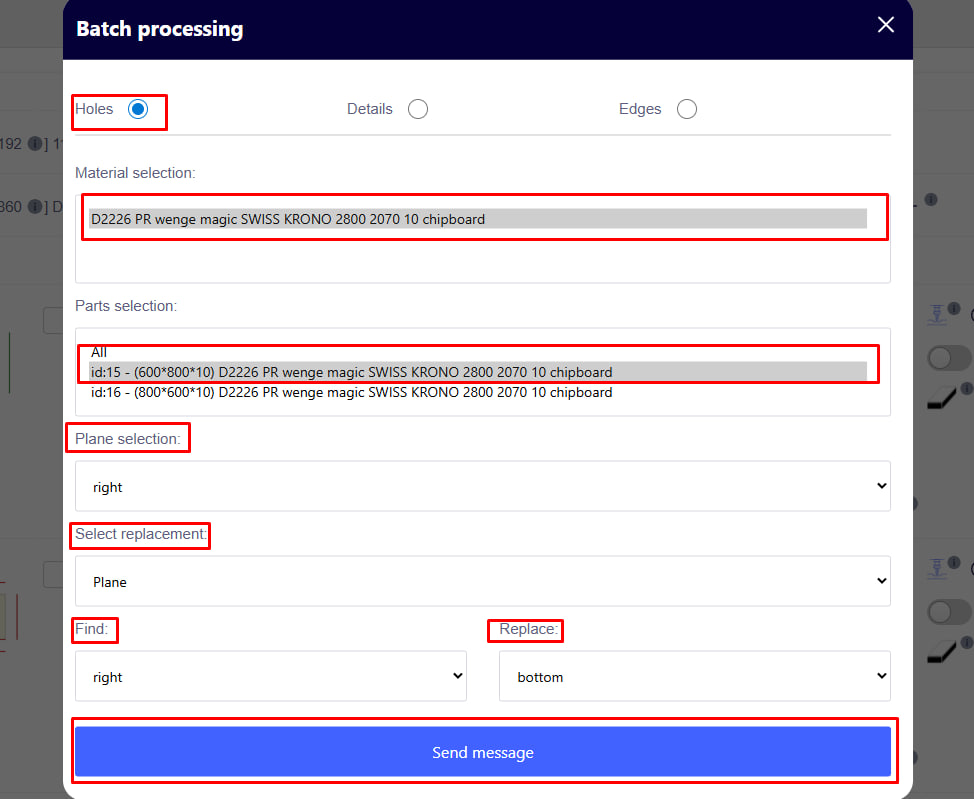
3. Selection of the plane of application of the operation
The plane on which the change will be made is set here. For example:
- end (side),
- front,
- rear etc.
4. Type of change
You can make changes according to the following parameters:
- Hole diameter — replacing one value with another;
- Hole depth — setting a new depth;
- Flatness — change of the plane of location of the hole or operation.
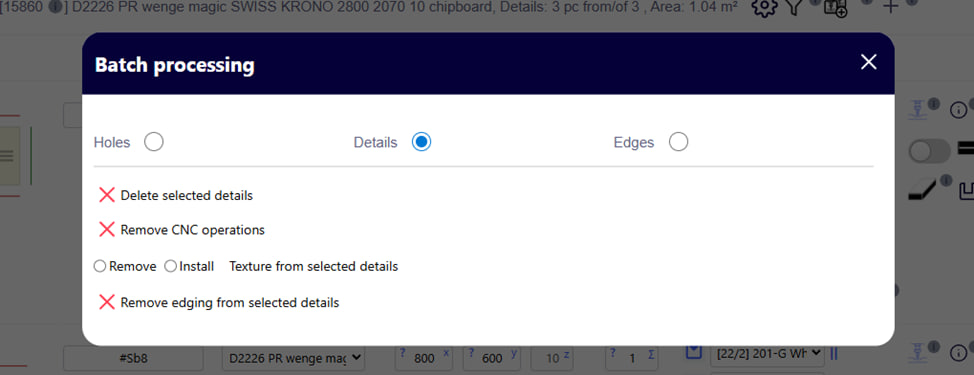
Details:
In this window, you can perform group actions on selected details:
- Delete selected details – delete selected details;
- Remove CNC operations – remove CNC operations from parts;
- Remove / Install texture - remove or install texture on parts;
- Remove edging from selected details – remove edging from selected details.
This helps to quickly edit a large number of details in a project.
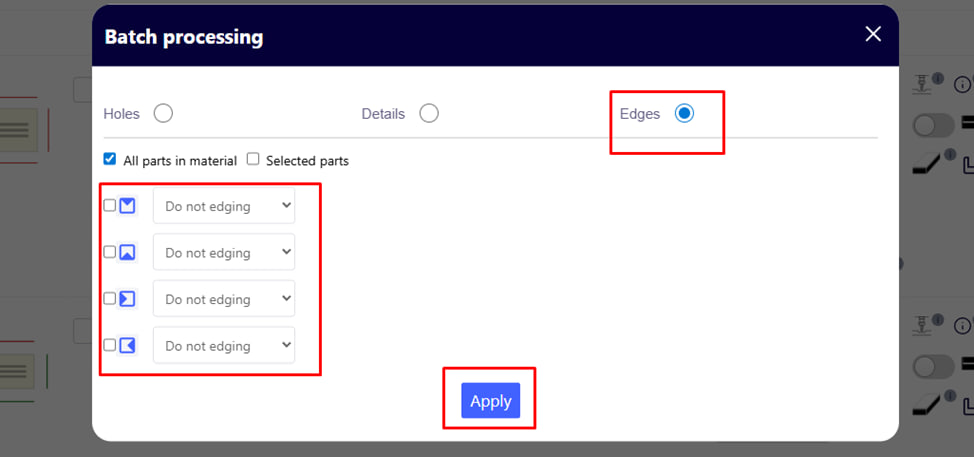
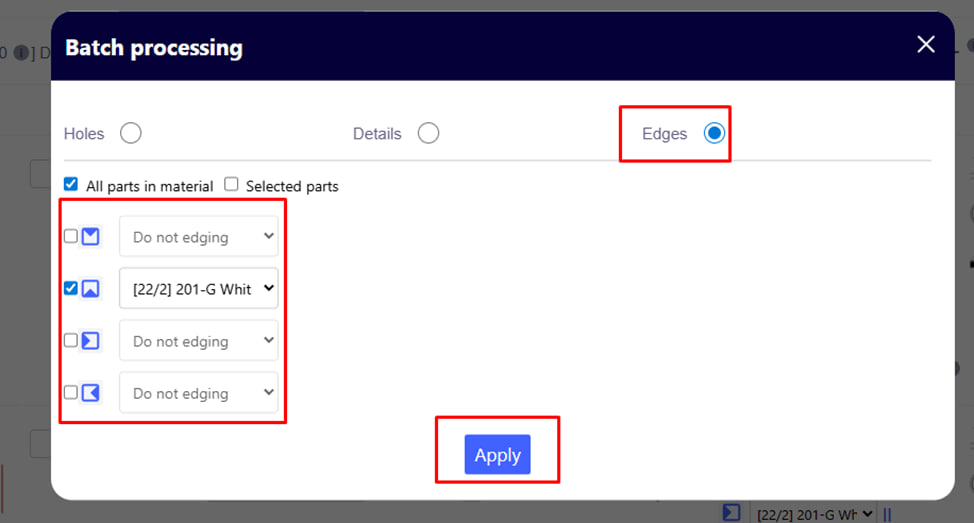
Edge:
In this window you can:
- set creasing parameters for several sides of parts at once;
- choose the desired type of edging or leave without edging;
- apply the changes by pressing the blue send button.
This is convenient for mass setting of the same creaking parameters.