

After adding details , setting the quantity, parameters, end processing and CNC operations, proceed to the final step:
- Check all positions in the project.
- Click the button in the form of " basket " in the upper right corner to calculate the order.
The Calculation button opens a section where you can view the full cost of the order before confirmation. It allows you to estimate the final amount of the project in detail, taking into account materials , balances , services and selected production parameters .
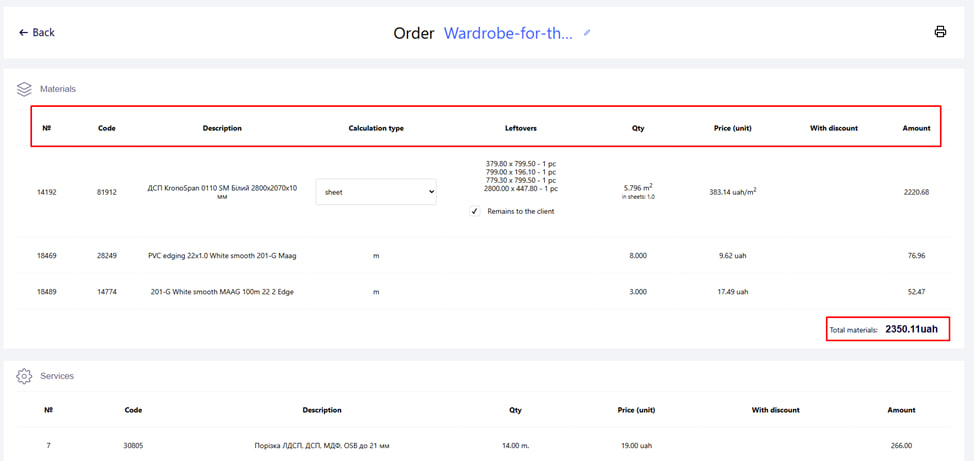
After clicking the button in the form of a " basket ", you will get to a page with all the detailed information of your order:
- In the calculation of Materials, the following is indicated : the type of material calculation (square meter, whole sheet), the amount and cost of each material separately (edge, board material), at the end, the total cost of all materials. When changing the type of material calculation, the cost of the material changes automatically .
- Also, if the Type of calculation of the material is Whole sheets, then it is visible what " Business balance " (size and quantity) will be transferred to the client when activating this option with a "tick". If the "tick" is not activated , the balance will automatically be determined on Warehouse .
Information on the sale of goods without services:
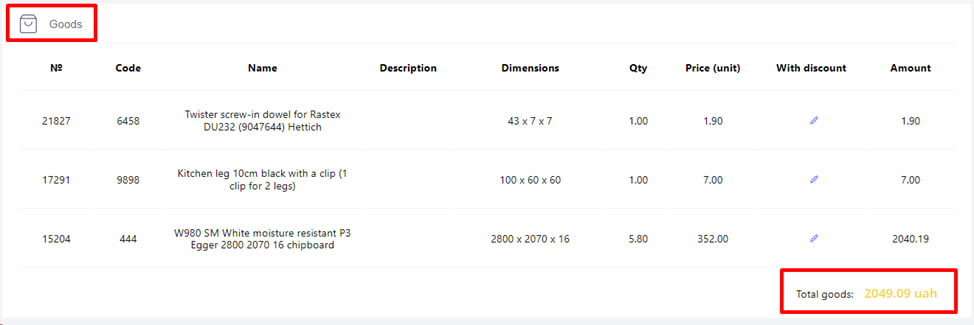
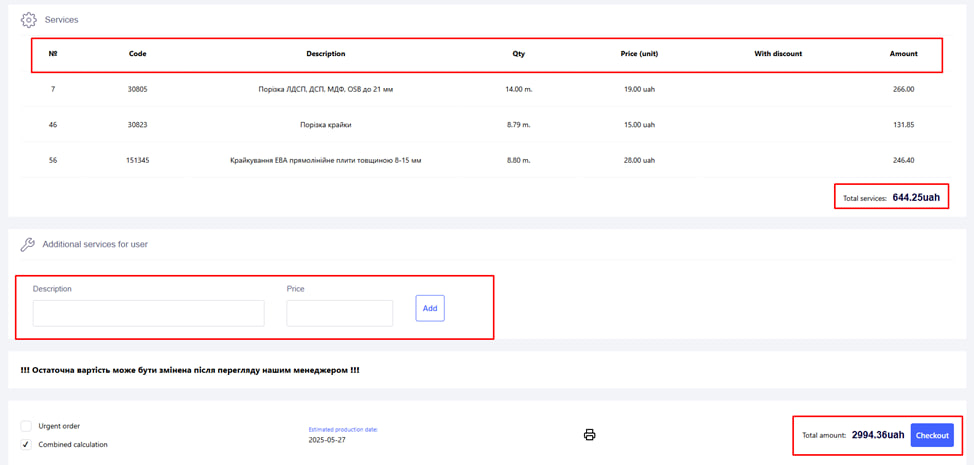
- Costing for services: Description, quantity and cost of each service separately and the total cost of all Services together.
- Calculation of additional services (if any).
- Total cost of the order.

Next, you can activate the options:
- Urgent order - the cost of the order will be increased and the order will be automatically transferred.
- Combined calculation (if this option is provided by the company) allows you to more economically calculate the cost of materials for the client. Combined calculation is an extended functionality of sales per m2.
How it works:
If, for example, 1.5 sheets are used for the order, then:
- 1 full sheet is calculated at the price of the sheet sale (usually cheaper);
- and the remaining 0.5 sheet is calculated at the selling price in m².
- This approach allows you to save money, because there is no need to pay for extra full sheets. The calculation of services will also be proportionally divided between the sheet and detailed sales method.