
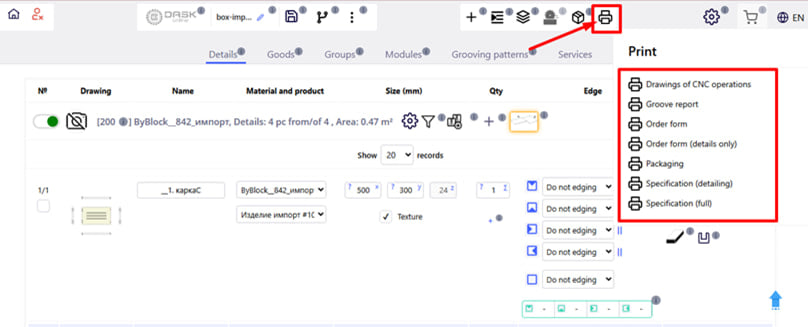
By clicking on the " Print " button (printer icon) you will get access to several types of documentation that can be downloaded or printed for ordering. You can create the following documents:
1. Report on grooves - forms a report on all grooves that need to be performed in the order. Contains drawings and information on parameters and type of groove .
2. Order form - provides all information about the current order .
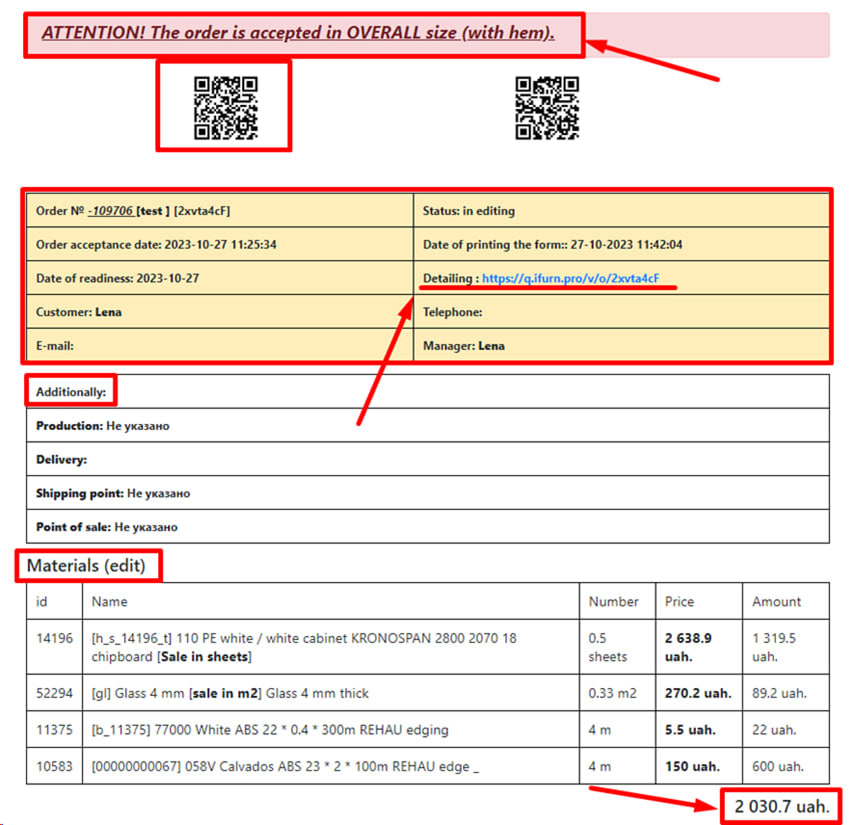
In the upper part, it is indicated in which size the order was placed - in fine or overall.
Next to it is a QR code that opens the mobile version of the program: https://q.ifurn.rgo. Through it, you can conveniently check or track the status and details of your order from your smartphone.
Below is general ordering information , including:
- Order ID,
- name of the client,
- date of readiness,
- point of sale and other data.
Further, the form states:
- Names of materials and edges,
- quantity of each material,
- cost per unit,
- as well as the amount you actually paid for the ordered square footage or square footage.
At the end of the table is summarized:
- total cost of all materials,
- cost of services,
- and the final total amount of the order .
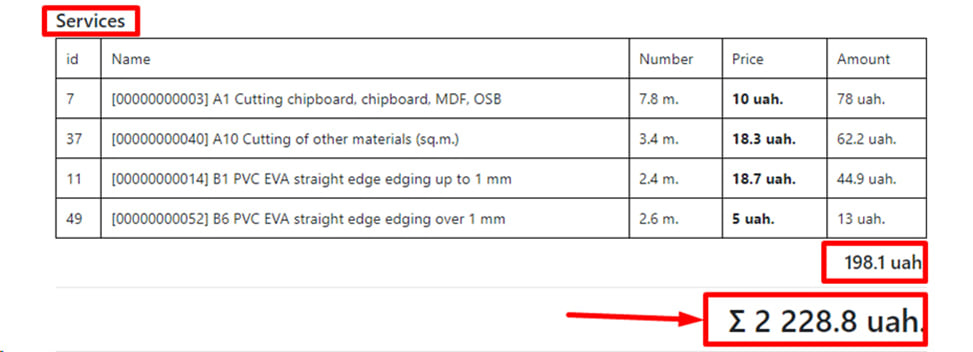
First, the cost of each individual service is indicated, then the summary of all services, and at the end the total amount of the entire order .
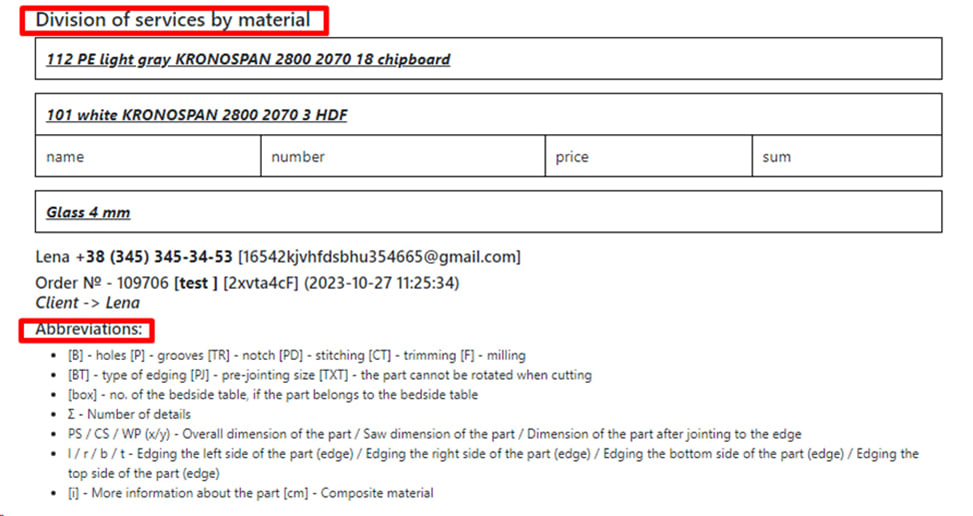
Next, the form presents a detailed division of services for each material , which allows you to see exactly which treatments were performed for each type of material separately.
At the bottom of the document , all abbreviations used in the form are deciphered - this makes it easy to understand the technical designations and marks in the tables.

Here is information about the edge used in the order, in particular:
- name (name),
- size (width),
- and the notation that corresponds to each type of edge in the detailing table.
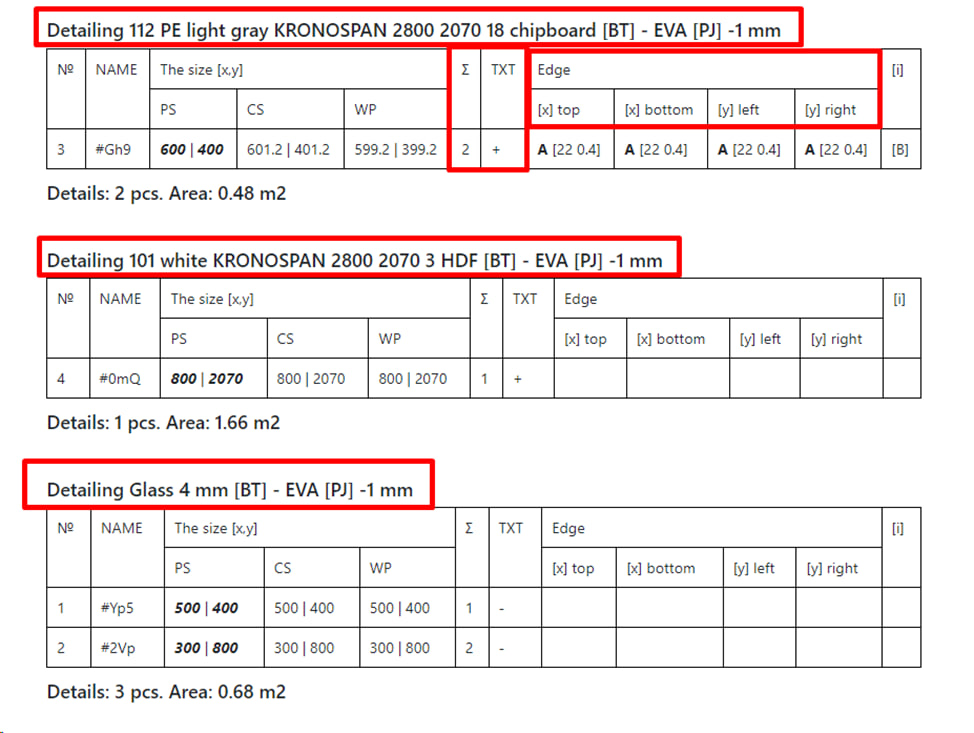
Next, the dimensions of the parts for each material are shown separately, as well as the sides of each part that are to be crimped.
Under each material is additionally indicated:
- the total number of parts from this material,
- and their total area.
3. Order form (details only) - a simplified form that focuses exclusively on the details of the order. Designed to quickly check detailing before proofing or printing.
4. Packaging - a document that contains information about all packages in the order. It is indicated which parts are included in each package, their dimensions and approximate weight. Convenient for storage and logistics.
5. Specification ( detailing ) - a detailed list of all details of the order with the indication:
- materials,
- sizes,
- quantity
- sides and type of creasing,
- presence of stitching (spiking).
Also provided is a link to the drawing of each part , which leads to the corresponding sketch.
6. Specification ( full ) - a complete specification for the entire order, which includes details, operations, edges, materials, quantity and accompanying information. It is intended both for production and for the client.
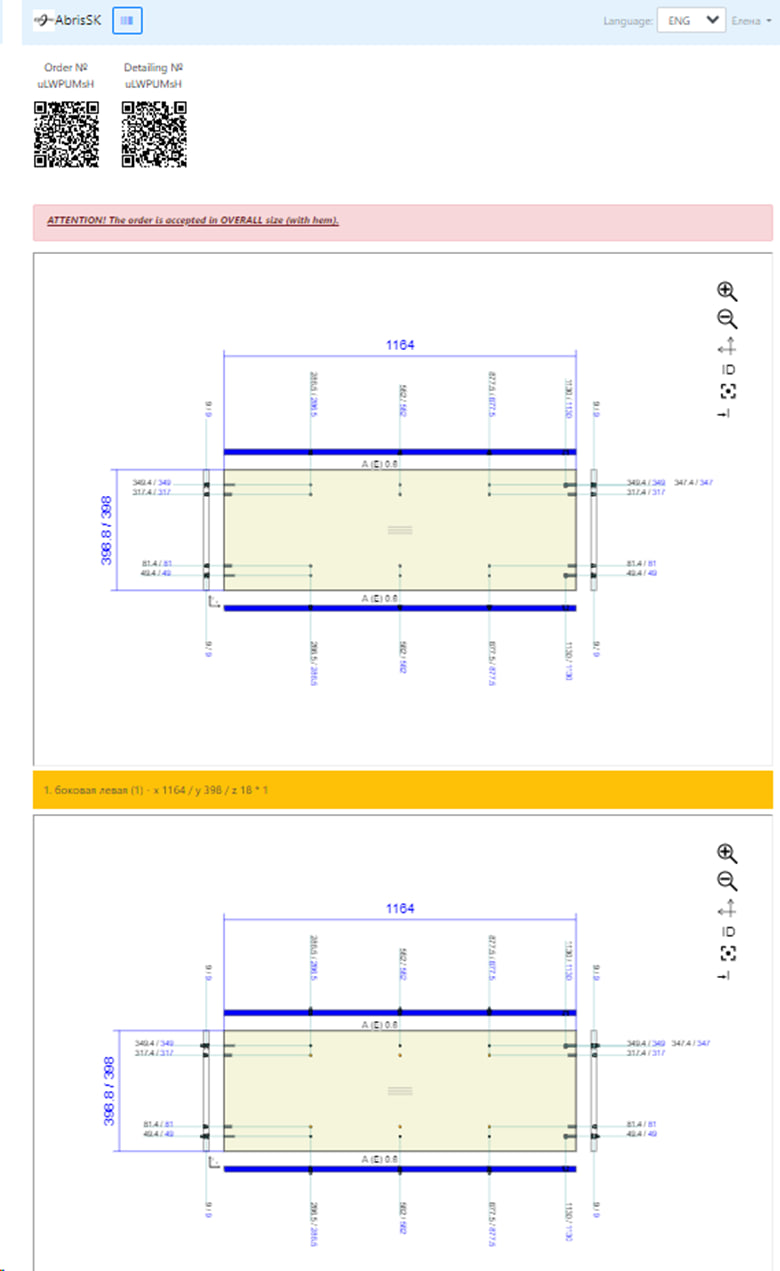
7. Drawings of CNC operations - a separate window opens with technical drawings of CNC operations for each part, containing exact coordinates and dimensions of holes, grooves, milling , etc.
Note : A message about the format in which the order was accepted is also displayed at the top of the page.
The QR code placed in the document allows you to download the order form, details, as well as print documents in a convenient format.
In the future, this QR code will be printed on a label glued to the part, which allows you to instantly check all the information on the order directly from your smartphone.